
What Is a Good Internet Speed? A Complete Guide for 2026
In 2026, people use the internet more than ever for work, fun, and daily jobs. A good internet speed makes online time smooth. It stops delays and breaks. This guide looks at what counts as a good internet speed. It gives facts for various needs.
What Is a Good Internet Speed?
A good internet speed handles your online tasks well. It stops frustration from slow loads or buffering. Experts suggest at least 100 Mbps for most homes in 2026. This speed lets several people browse sites, send emails, and check social media together. For simple jobs like reading news or shopping online, 50 Mbps works if just one or two devices connect. But more services go online now. Things like video calls and cloud files need higher speeds to manage more data.
What Is a Good Internet Speed for Gaming?
Gamers want a good internet speed for smooth play. They hate lag or lost links. In 2026, at least 50 Mbps works for most online games. But 100 Mbps or more gives better results. This speed deals with steady data swaps between your device and game spots. Games like Fortnite or Call of Duty need fast answers. Low speeds cause waits that hurt your game.
What Is a Good Internet Speed for Home?
Homes need a good internet speed to cover all family actions without fights. In 2026, houses with two to four people often see 200 Mbps as enough. This allows them to stream movies, browse the web, and use smart home devices—such as security cameras and smart speakers—all at the same time. For bigger families or homes with lots of linked items, 500 Mbps or more stops slow times when busy.

4K Dual-Lens PTZ Camera with Dual Tracking
4K 8MP Ultra HD, Wide & Telephoto Lenses, Pan & Tilt, Auto-Tracking, Person/Vehicle Detection, Power over Ethernet, Two-Way Audio.
What Is a Good Internet Speed for Streaming?
Streaming sites lead fun in 2026. A good internet speed gives high-quality video with no stops. For normal clear content, 5 Mbps is fine. But most watch in high clear or 4K. That needs more. A speed of 25 Mbps deals with HD on one device. 50 Mbps helps several streams.
What Factors Determine Good Internet Speeds?
Many things affect if your internet speed feels good for daily work. You must know these to pick the right plan and fix problems. Below, we check main factors that shape strong speeds. These factors go from your service choice to real setup. Each can change how things run in various ways.
Plan Speed
The speed you buy in your internet plan sets the top limit for your link. Providers have levels like 100 Mbps, 500 Mbps, or 1 Gbps. If you pick a low level, you stay under that top even in great shape. A 50 Mbps plan fits light users. But it fights with heavy grabs.
In 2026, plans often have equal speeds. Upload matches download. This boosts all use. You should check your plan facts often. Providers change choices. A higher plan lifts speed right away if other parts fit. But you waste cash on super high speeds if your needs stay simple. Fit the plan to your jobs for top worth.
Type of Connection
Your link type shapes speed and trust. Cable internet uses thick wires. It hits up to 1 Gbps. But it slows in rush times. Fiber lines bring the quickest speeds. Often over 1 Gbps with steady run. DSL uses phone lines. It tops at 100 Mbps most times. It fits country spots. Satellite serves far places. But it gives lower speeds near 100 Mbps with more waits.
In 2026, 5G home internet comes as no-wire choice. It gives 300 Mbps or more in right zones. Pick based on what you can get. Fiber shines for hard users. The type sets not just speed but also firm work over long times.
ISP Network Congestion
Your internet service provider's network can crowd up. This cuts speeds. Evenings bring peaks when lots go online. Providers fix this with better builds. But old networks have trouble. In 2026, stronger watch tools help providers even loads. You see crowding as slow grabs or video waits. Spots with many people face more woes. Call your provider if speeds fall steady at set times. They may give fixes like off-rush plans. Good speeds rely on how well the provider deals with flow.
Latency
Latency checks the time data takes to go from your device to the server and back. Low latency under 50 milliseconds feels quick for jobs like gaming or calls. High latency brings waits even with fast speeds. Space to servers and link type affect it. Fiber gives low latency. Satellite has higher from space sends. In 2026, close computing cuts latency. It works data nearer to users. Test your latency with web tools to spot issues. Good speeds add low latency for now-time jobs.
Number of Users and Devices
More people and devices share the link. They split the data space. A home with five users wants higher speeds than one with two. Items like phones, laptops, and smart TVs add fast. In 2026, net things raise the number more. 100 Mbps may work for two users. But not for five who stream at once. Watch linked devices. Cut ones you do not need. Good speeds think of top use when all link.
Hardware Limitations
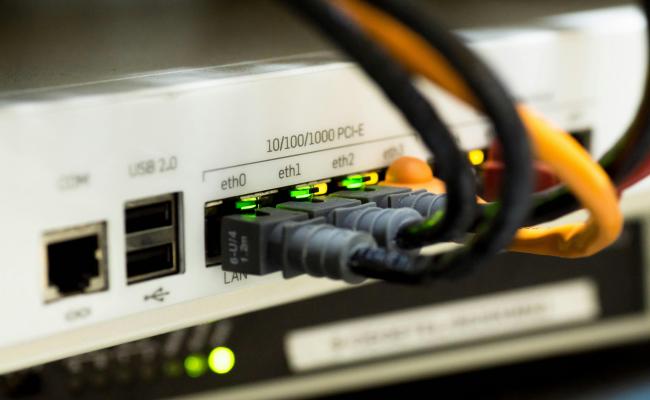
Your router, modem, and devices limit speeds you reach. Old routers hold lower tops like 300 Mbps. Change to new Wi-Fi 6 routers for better run up to 1 Gbps. Wire links with Ethernet cables beat Wi-Fi. Device age counts. New laptops take high speeds. Old ones block. In 2026, net systems spread cover in big homes. Check hardware facts against your plan. Swap old gear to open full power.
How to Improve Internet Speed?
You do not always need a new provider. Easy changes often help. Here, we list real tips to increase your internet speed.
- Upgrade Your Plan: Call your ISP to move to a higher speed level. This boosts open data space right away. Shift from 100 Mbps to 500 Mbps to handle more items. Check your use ways first to skip extra pay. Providers give deals in 2026 for changes.
- Use Wired Connections: Link devices with Ethernet cables not Wi-Fi. Cables give firm, quicker moves with no mix-ups. Put your computer close to the router for this. It fits well for desks or game boxes.
- Optimize Router Placement: Put the router in the middle and high up. Keep it from walls or metal things. This boosts signal power all over your home. Skip microwaves or no-cord phones that mess Wi-Fi.
- Update Firmware and Software: Hold your router's base code new from the maker's site. Updates mend flaws and lift speed. Update device run systems too for better net work.
- Limit Background Activities: Shut apps that use data space behind. Like auto changes. Set grabs for quiet hours. This opens speed for key jobs.
FAQs
Is 300 Mbps a good internet speed?
Yes, 300 Mbps counts as a good internet speed for most homes in 2026. It backs several streams, gaming, and work jobs with no trouble. Families with four or more people see it as steady in rush times.
Is 250 Mbps fast enough for Netflix?
250 Mbps goes past what Netflix needs for all clear levels. It deals with 4K streaming on many devices at once. You get smooth play even with other web jobs. Netflix says 25 Mbps for super clear, so 250 gives lots of extra space.
What is considered a slow internet speed?
Speeds under 25 Mbps count as slow in 2026. They fight with HD video or many users. Basic looking at sites works, but new wants go past them. For example, video calls lag and files take long to grab.
Conclusion
A good internet speed is not a single number. It comes from the right plan, a solid connection, good hardware, and smart use. Everyday tasks can fit 30–50 Mbps. Gaming works better above 50 Mbps. Homes with many users need 200–300 Mbps. Streaming 4K needs at least 5–8 Mbps per device; add more if you stream more devices. Connection type, ISP traffic, latency, device count, and hardware shape what speed people feel.
If you are picking a new plan or have lag, look at each factor and try the improvement tips earlier. Tell us what you think, share if you found the right speed or still search for the right balance.
Search
Subscribe for the Latest Updates
Security insights & offers right into your inbox