
USB-A vs USB-C: Understanding the Key Differences for Better Connectivity

USB-A and USB-C are the two most common charging and data-transfer technologies. You might be familiar with how it looks and works. However, they differ in many respects, such as shape, speed, and compatibility.
In this guide, we will compare both technologies in detail to let you understand the key differences. Knowing the basics of each will make it easier to select the best one to fulfill the requirement.
USB-A vs USB-C: What's The Difference?
Shape
The USB-A connector is a flat, rectangular connector that can be plugged in only one direction. They are often used in older devices and are considered a traditional connector. USB-A had set a standard, but somehow people get frustrated when multiple attempts are required to connect it, with no visual indication.
On the other hand, USB-C has now become very common in modern devices. They have a slim, oval shape that makes them easy to connect in any direction.
Data Speed
USB-A has a lower data speed due to outdated technology. However, it is still widely used across devices supporting multiple USB standards, such as 2.0, 3.0, and 3.2. The data transfer speed will be extremely less than USB-C. It would fail to deliver the original video quality while streaming and would experience delays during data transfer.
In comparison, USB-C is a modern technology providing lightning-fast data transfer. Common gateways include USB 4 and Thunderbolt, which can deliver up to 40 Gbps for fast data transfers and high-resolution video streaming.
Power Delivery
The power delivery of USB-A and USB-C differs a lot in terms of quick charging. USB-A offers limited charging capacity and takes longer to fully charge devices. It typically offers up to 12 watts, which is nothing for modern-day devices. However, they are suitable for smaller devices but have poor power management.
On the other hand, USB-C offers lightning-fast power delivery, enabling your mobile phone and laptops to charge in minutes. It can deliver up to 100W and is compatible with various devices, including laptops, mobile phones, and tablets.
Reversibility
The reversibility is also a critical factor that creates a significant difference between the two. The USB-A cannot be inserted with the wrong orientation. You must check the correct orientation and connect it firmly; otherwise, multiple trials may lead to port or cable failure.
In contrast, USB-C is completely reversible. There is no limitation to connect it; you can insert either side in the port. It provides a hassle-free connection, no matter low-light conditions or congested spaces.
Compatibility
USB-A is highly compatible, as it is one of the most widely used universal technologies. It continues to maintain its legacy from using a keyboard to printers, all of which depend on USB-A.
However, USB-C is a newer technology and has limited compatibility. Only modern-day devices will be compatible with the USB-C technology. With a rapid adoption, it will continue to become compatible with most devices and will become the preferred one in the future.
USB-A vs USB-C: Basic Of Them
What Is USB-A?
USB-A is one of the most popular technologies that has consistently provided power and data transmission facilities for a decade. They have set a standard for devices such as computers, TVs, and older laptops to get easily connected with a single cable.
Despite being popular, it is not intended to serve modern-day devices. It may fail to provide the speed and meet the design of today's sleek devices. Still, devices like mice, keyboards, and printers are highly dependent on USB-A for an affordable and standardized connection.
What Is USB-C?
USB-C is a modern-day versatile connector that eliminates the confusion of inserting the right side into the port. The shape is symmetrical and can be used in any orientation. It is popularly used in mobile phones, laptops, TVs, and tablets. With a USB-C connection, you can enjoy fast charging, quick data transfer, and high-resolution displays.
USB-A vs USB-C: Which One Should You Use?
Choosing between USB-A and USB-C is highly dependent on your requirements. USB-A would be a viable option if you don't need any fast charging or large data transfer. Although most of the devices are compatible with USB-A, manufacturers are moving towards USB-C.
It would be a better choice to invest in USB-C due to its future value. Moreover, the requirements are also being enhanced with technological advancements. Preferring a USB-C will allow you to handle quick data transfers, fast charging, and seamless streaming.
How Reolink Camera Support USB PORT?
Most Reolink battery-powered cameras support USB-C charging. On the camera, you will see a USB-C port, and you can connect the recommended adapter to it. A USB-C cable comes along with the camera, and it's also commonly available at home. It's a fast and convenient way to recharge the batteries.
Altas PT Ultra is a battery/solar-powered security camera. It supports USB-C charging that recharges the camera in minimal time. It's equipped with a 500-day long-lasting battery, 4K resolution, ColorX night vision, automatic tracking, and so many incredible features.
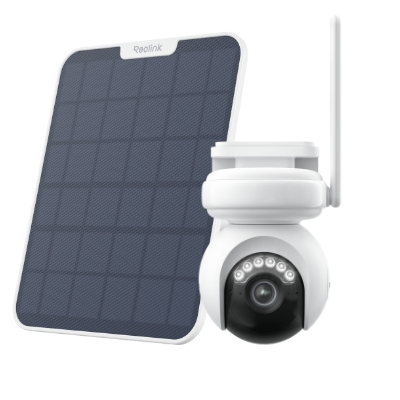
Industry-leading 4K Continuous Recording Battery Camera
4K UHD Continuous Recording; ColorX Night Vision; Pan & Tilt; Automatic Tracking; All Recordings Stored Locally.
What's The Difference Among USB-A vs USB-B vs USB-C?
FAQS
Can I plug a USB-C into a USB-A port?
No, you cannot plug a USB-C port into a USB-A port because they are different sizes and shapes. However, you can use a USB-A to USB-C connector to charge your mobile phones.
Is USB-A being phased out?
Yes, USB-A is being phased out, but millions of devices still require it. Modern devices are shifting to USB-C for greater efficiency.
How do I know if I have USB-A or C?
You can easily figure it out by the physical appearance. USB-A is a bulky, flat rectangular device. USB-C is small, oval-shaped, and symmetrical all around.
Are iPhone chargers USB-A or C?
Older iPhone chargers use USB-A-to-C. While the newer ones have USB-C-to-Lightning or USB-C-to-USB-C compatibility.
Conclusion
USB-A is a renowned universal connector for older devices. USB-A is found to be one of the most compatible options, but the future outlook is gradually declining. However, USB-C provides an unmatched speed, power, and convenience. We have compared both in terms of shape, power, speed, and other factors to help you decide without any hassle.
Search
Subscribe for the Latest Updates
Security insights & offers right into your inbox