
U1 vs U3 SD Card: What’s the Difference and Which Is Better?
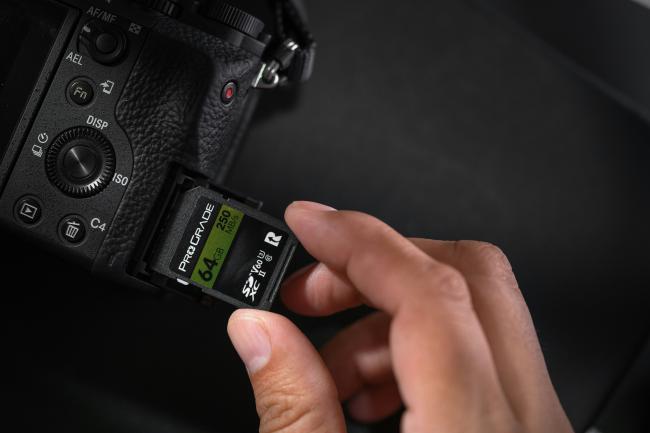
Many people look for facts on U1 vs U3 SD cards when they want new storage for cameras or phones. They also check the micro SD card U1 vs U3 to find a good match. This article shares clear facts. You learn the important points and select the right card for your device.
U1 vs U3 SD Card: Overview
People notice the U1 and U3 labels on the packages when they buy memory cards. These labels come from the UHS speed system, and the system supports fast data handling in devices.
What Is a U1 SD Card?
A U1 SD card delivers a minimum write speed of 10 megabytes per second. Companies build this card for standard jobs such as storing photos and recording full high definition video. You place the card inside devices like digital cameras and smartphones. The card uses the UHS bus system to move files at a steady pace during writes. Users select U1 cards because they supply enough speed for common recording.
What Is a U3 SD Card?
A U3 SD card provides a minimum write speed of 30 megabytes per second. Makers create this card for demanding jobs such as capturing 4K video and shooting multiple photos quickly. You install the card in high-quality cameras or action devices. The UHS system allows the card to process large amounts of data without delay.
SD Card U1 vs U3: What's the Difference?
After learning the basics of each card type, the next part explores the main points that set U1 and U3 SD cards apart. These differences change how the cards perform inside your devices.
Speed Levels
U1 cards support a minimum write speed of 10 megabytes per second for data. U3 cards support a minimum write speed of 30 megabytes per second for data. This gap appears right away when you record video or copy large files. With a U1 card, you wait longer to move videos from the card to your computer. A U3 card completes the job quicker, and you save time overall. The extra speed in U3 also stops errors during high-resolution tasks because the card maintains its rate steadily all the time.
Video Quality Support
U1 cards handle full high definition video that runs at 1080p resolution without trouble. U3 cards handle 4K video that demands more data every second. If you try a U1 card for 4K, you risk dropped frames or sudden recording stops. U3 cards keep the video flowing because they manage the high data flow. Many recent cameras list U3 as the needed rating to reach top video quality levels, and this makes a big difference in results.
Price and Value
U1 cards sell for lower prices, so they match tight budgets for simple storage. U3 cards sell for higher prices, but they deliver stronger performance for advanced work. You spend more on U3 when you create professional videos. For everyday storage, U1 supplies strong value, and you avoid extra spending on features you do not need.
Device Compatibility
Both cards fit most current devices that accept UHS connections. Some older devices operate only at U1 speeds. U3 cards work in those older devices, too, but they do not reach their full power there. New cameras and phones make complete use of U3 speeds during operation, and you get the best results from them.
SD Card U1 vs U3 vs Class 10: Comparison Table
Based on these details, it makes sense to include Class 10 in the review because many cards carry this label as well. The table below shows the three options next to each other for quick comparison.
U1 vs U3 SD Card: Which One Do You Need?
With these facts in mind, the right choice comes down to the tasks you plan for the card. The lists below cover situations where one card fits better than the other, so you can match it to your use.
Choose U1 If:
-
You record video in full high definition only and never move to 4K resolution.
-
Your budget stays tight, and you look for basic storage without extra features.
-
You use the card in phones or entry-level cameras that do not push for high speeds.
-
You transfer small files and accept normal copy times without concern.
Choose U3 If:
-
You record video in 4K resolution and want every frame to stay clear.
-
You shoot burst photos during sports or wildlife events and need quick writes.
-
You move large files often and want short transfer times to computers.
-
Your device is a high-end camera that states U3 as the required rating.
U3 vs U1 SD Card: How to Identify?
To make the right purchase, you need simple ways to spot the correct card on store shelves. The tips below guide you through the checks with clear steps, and each one helps you avoid mistakes when you buy.
-
Look for the U symbol printed on the front of the card. A number 1 inside the U shows it is U1, while a number 3 shows it is U3.
-
Read the details printed on the package. Manufacturers list the speed class in plain view on the box.
-
Check the full product name on the card or box. Cards often include UHS Speed Class 1 or 3 beside other details.
-
Ask store staff or check the product page if you shop online. Many sellers show close-up photos of the symbols.
-
Compare with cards from trusted brands. Reliable companies mark the symbols correctly every time.
U1 vs U3 SD Card for Security Cameras
Because some local storage security cameras record video around the clock, the card must stay steady for long periods. The points below explain how each type fits this job and why one may suit your setup better than the other.
-
U1 cards meet the needs of most security cameras because the video uses low bit rates after the system compresses the files.
-
U3 cards speed up access when you pull up old footage on a computer or phone for review.
-
Both cards support loop recording, where new video overwrites old clips, but U1 keeps costs down since the extra speed stays unused.
-
Choose U1 for home systems that use standard definition or 1080p cameras.
-
Pick U3 if the cameras record in 4K and the full system needs a strong write rate.

Reolink Daily Sales 2026 - Unlock smart deals on Reolink’s top-performing cameras — now on sale!
Reolink Daily Sales are here! Grab top deals on security cameras, doorbells, and systems to keep your home safe all the time!
FAQs
Are U3 SD cards faster than U1?
U3 SD cards reach a minimum write speed of 30 megabytes per second. U1 SD cards reach a minimum write speed of 10 megabytes per second. The U3 option writes data three times faster at the guaranteed level. You see the effect during actual tasks like video recording, where U3 keeps everything moving without slowdowns, and this makes a real difference in daily use.
Is U3 enough for 4K?
Yes, U3 supplies enough speed for 4K video recording. The 30 megabytes per second minimum manages the data rate that 4K requires. Many cameras run without issues on U3 cards, and you receive clear footage from start to finish.
Is a U1 or U3 better in SD card?
U3 cards perform better when your tasks involve high-resolution or fast action recording. U1 cards work well for basic needs and keep the price lower. The better choice comes down to your exact device and the type of content you create.
Conclusion
This article explained the main facts about the U1 vs. U3 SD card. U1 cards supply 10 megabytes per second minimum, while U3 cards supply 30 megabytes per second minimum. The differences show up in speed levels, video support price, and device fit. Pick U1 for everyday jobs and U3 for advanced recording. Think about your own setup before you buy any card. What card do you use now, and why does it work for you? Share your thoughts in the comments below.
Search
Subscribe for the Latest Updates
Security insights & offers right into your inbox