
Bixby vs. Google Assistant: Which Voice Assistant is Right for You?
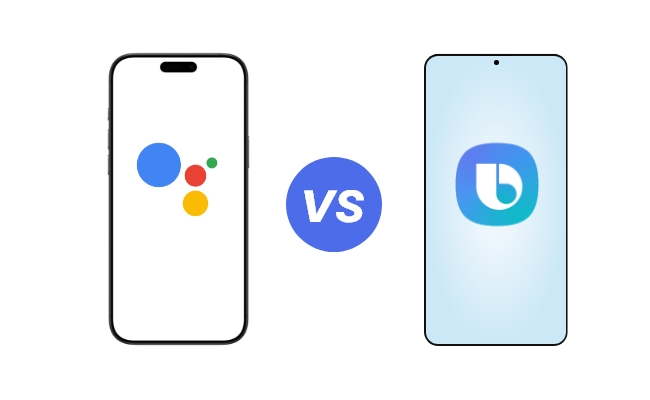
Google Assistant and Bixby are two popular voice assistants used for operating smart devices and managing daily tasks. But selecting one of them is what confuses everyone.
In this article, we will compare Bixby vs. Google Assistant in detail. We will discuss their features, compatibility, performance, and privacy so that you can choose the one that fits your purpose best.
Bixby vs. Google Assistant: Basics of Them
What is Bixby?
Samsung's in-house voice assistant, Bixby, was unveiled in 2017. Samsung's ecosystem, which includes smartphones, tablets, smart TVs, and household appliances, is intricately linked with it.
Bixby offers three main functions:
- Bixby Voice: Allows users to control devices through voice commands.
- Bixby Vision: Lets users point the camera at objects to provide AR experiences, such as translating text or identifying objects.
- Bixby Routines: Automates tasks based on user habits, such as setting controls when you get home.
What is Google Assistant?
Google Assistant is a voice assistant driven by artificial intelligence that was introduced in 2016. It can be found on smartphones running iOS and Android, smart displays, smart speakers, and even cars.
Google Assistant is excellent at:
-
Search Capabilities: Making use of Google's advanced search engine to deliver precise and prompt results.
-
Smart Home Integration: Supports a variety of smart home devices, including Reolink Home Hub, Nest, and some third-party products.
-
Third-party Application Support: Access and control major apps like Spotify, Uber, and YouTube for performing task integration.
Bixby vs. Google Assistant: Comparison Between Them
Google Assistant has better search skills and wider compatibility, while Bixby is better at device-specific tasks and has extensive interaction with Samsung products. Between Google Assistant vs. Bixby, Google Assistant is better. This is because of its cross-platform compatibility. It is better for consumers who are not part of the Samsung ecosystem.
Let's delve into the facts and figures as to how these two voice assistants compare and contrast with each other.
Smart Home Integration
Bixby is made for easy control of compatible smart home devices with Samsung SmartThings. However, being restricted only to Samsung devices can be a big disadvantage for users tending to mix brands in their home installations. Google Assistant, doing a much broader coverage, offers compatibility with smart home products such as Reolink HomeHub.
Reolink HomeHub Kits is compatible with Google Assistant, empowering users to efficiently control their security cameras and smart home appliances via voice commands. For a smart-home lover, Google Assistant is therefore the more flexible and hence practical solution.
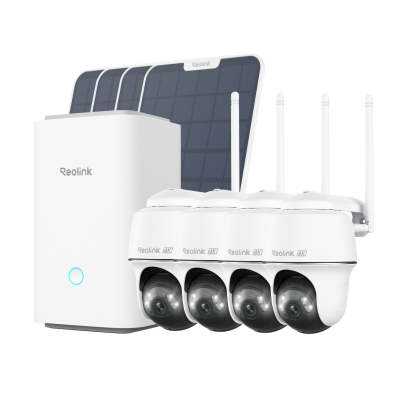
Wireless Security System With 4K PT Standalone Battery/Solar Wi-Fi Cameras
4K Color Footage Day & Night, 1 Year of Local Storage, Exclusive Anti-Theft Algorithms, 360° All-Around Coverage, Expandable System Up to 8 Reolink Cams.
Mobile Devices Compatibility and Ecosystem Integration
In Bixby, the user has the best functionality on the Samsung device since it has the deepest support. But unfortunately, it limits the features to be offered by the Bixby services within the ecosystem.
As for Google Assistant, this is a service that you can use on any other platform. It has a wide range of Google services compatible with the functionality and easy integration.
Language and Speech Recognition
Bixby is excellent at comprehending complicated commands, but it supports fewer languages.
More languages are supported by Google Assistant, which provides users worldwide with better speech recognition and natural language processing.
Functions
When comparing Google Assistant and Bixby in terms of functions, Google outperforms Bixby in general activities like playing music or giving real-time information. Be it answering questions, shopping items, fetching news, or anything else, Google Assistant is more advanced. However, Bixby has limited functionality with Samsung devices.
Privacy
In the Google Assistant vs. Bixby privacy debate, Bixby offers more security and privacy by storing data locally on Samsung devices.
Despite its sophisticated features and transparency controls, Google Assistant raises certain privacy issues because it keeps data on Google servers.
Bixby vs. Google Assistant: Pros and Cons
Pros and Cons of Bixby
Pros:
- Deep integration within Samsung devices, making it smooth sailing for Samsung users.
- Specific features targeted towards any Samsung device, such as Bixby Routines and Bixby Vision.
- Greater privacy because of local data storage and minimal third-party sharing.
Cons:
- Limited compatibility with non-Samsung devices, restricting its usability.
- Cater to fewer languages and dialects than Google Assistant.
- Less flexible concerning third-party applications integration.
Pros and Cons of Google Assistant
Pros:
- Wide compatibility with smart-home devices, platforms, or third-party applications.
- A finer search engine and natural language processing.
- Supports more languages and dialects, making it accessible globally.
Cons:
- Privacy concerns due to cloud-based data storage and Google’s data collection practices.
- Little integration with Samsung-specific features, which could also limit functionality for Samsung users.
Bixby vs. Google Assistant: Which Assistant is Right for You?
Choose Bixby If:
- You are a Samsung user and prefer device-specific features and privacy.
- You want advanced automation and routines made for Samsung devices.
Choose Google Assistant If:
- You want maximum compatibility with smart home devices and platforms.
- You want great search capabilities and integration with third-party apps.
Between Samsung Bixby vs. Google Assistant, Google will be a better option for most users because of its versatility and cross-platform support.
Additional Intelligent Voice Assistants Comparison
Gemini
As a new voice assistant, Gemini has focused more on the ability to boost productivity and task management on time. It can perform possibilities of complex workflows the best. Although it lacks general compatibility and closer advanced capabilities of Google Assistant.
Alexa
Alexa is developed by Amazon. It is well-known for its wide support for third-party skills and ability to operate smart homes. It is less adaptable outside of the Amazon ecosystem but perfect for people inside it.
Bixby vs. Google Assistant vs. Gemini
Gemini emphasizes efficiency and task management. But, Google Assistant is still the most feature-rich and extensively used choice. Due to its extensive compatibility and sophisticated capabilities, Google Assistant is the greatest option for most consumers.
Bixby vs. Google Assistant vs. Alexa
Alexa is known for its integration with the Amazon ecosystem and smart home control. Comparatively, Google Assistant is superior in search and cross-platform interoperability. Bixby, on the other hand, excels at tasks specific to Samsung devices and device integration.
FAQs
Which one is better, Bixby or Google Assistant?
Google Assistant is superior for the majority of users because of its sophisticated functionality and wider compatibility. Bixby is limited to the Samsung ecosystem.
What can Bixby do that Google Assistant cannot?
Bixby excels in device-specific tasks (such as specific camera settings and audio settings) and routines for Samsung devices. It has more control of the device and a deeper level of integration. If you own Samsung devices, it is the best option.
Conclusion
When comparing Samsung Bixby vs. Google Assistant, they are both strong in their unique areas. Bixby shines in tasks done solely on devices, plus a little more privacy for Samsung users. Google Assistant, on the contrary, gives greater compatibility, has better search abilities, and has better third-party app support. This makes Google the recommended choice for most users. No matter which tool you decide to go with, both can be considered excellent tools for a smart home experience.
Search
Subscribe for the Latest Updates
Security insights & offers right into your inbox