
Reolink NVR Review: Empowering Your Surveillance
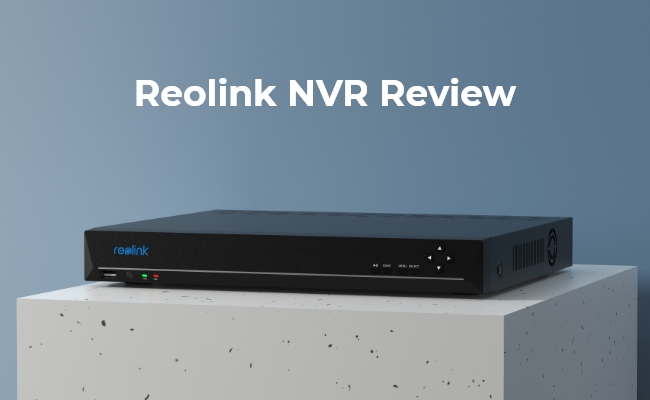
Reolink is a reliable option for security cameras, NVRs, and accessories. The innovative and top-notch quality products are available at a reasonable price and under one roof. Most importantly, you can use them without any subscription.
In this article, we will share a detailed Reolink NVR review. We will discuss the features, products, how to set up, and everything else you need to know. If you are looking for an NVR, this article will help you choose the right product.
Pros and Cons of Reolink NVR
Pros
-
Original Video Quality with Up to 16MP Resolution Support: Reolink NVRs record footage in the camera's original resolution without compressing or reducing image quality. Depending on the NVR model, they support cameras with resolutions up to 16MP, allowing you to capture fine details such as faces, license plates, and objects even when digitally zooming into recordings. This makes them suitable for both residential and commercial surveillance.
-
Massive Local Storage for 24/7 Recording: Most Reolink NVRs come with a pre-installed hard drive (typically 2TB to 4TB) and support storage expansion of up to 16TB (model dependent). Continuous 24/7 recordings are stored locally without requiring a monthly cloud subscription. Local storage also gives users complete control over their surveillance data while reducing long-term operating costs.
-
Easy Setup and User-Friendly Management: Reolink NVRs feature a plug-and-play design when paired with Reolink PoE cameras. Users simply connect cameras via Ethernet cables, and the system automatically detects compatible devices. The intuitive interface allows users to manage recording schedules, playback, firmware updates, storage settings, and camera configurations without requiring advanced technical knowledge.
-
Convenient Remote Access Anytime, Anywhere: Using the free Reolink App, Reolink Client for Windows/macOS, or a web browser, users can access live video streams, playback recordings, download important footage, and manage their entire security system remotely. Whether you're at work, traveling, or on vacation, you can monitor your property from virtually anywhere with an internet connection.
-
Smart Motion Detection with Instant Alerts: When paired with AI-enabled Reolink cameras, the NVR supports intelligent detection of people, vehicles, and pets. Instead of sending alerts for every movement, it filters out unnecessary notifications caused by rain, shadows, or tree branches. Users receive near real-time push notifications, emails, or alarm triggers, allowing for faster responses to important security events.
-
Excellent Compatibility Within the Reolink Ecosystem Reolink NVRs are designed to work seamlessly with Reolink's extensive range of PoE cameras, Wi-Fi cameras, video doorbells, and other security devices. They also support many third-party cameras through the ONVIF protocol, providing greater flexibility for users who already own compatible surveillance equipment.
Cons
- Advanced functions such as AI person, vehicle, and pet detection, smart playback, two-way audio, and camera-specific settings may only be fully available with Reolink cameras. Users who plan to mix brands may experience limited functionality compared to using an all-Reolink system.
Overview of Reolink NVR
Reolink NVR is an innovative and reliable solution to store 24/7 video recordings. It ensures faster performance, incredible video quality, and ease of use. It makes the management of cameras easier than ever before.
If you have multiple cameras to control or massive data to store, you need Reolink NVR. It helps you control and access all your devices and data in one place. Moreover, it has plenty of storage to store 24/7 recordings without any subscriptions.
Reolink NVR vs Reolink Home Hub
- Choose a Reolink NVR if you need 24/7 continuous recording, support for many cameras, large storage capacity, and a scalable surveillance system for homes or businesses.
- Choose a Reolink Home Hub if you use Reolink Wi-Fi or battery-powered cameras and want an affordable, easy-to-install hub with local event recording and simple device management. It is ideal for small home security setups.
Here is a Comparison Table:
3 Best Reolink NVRs
Reolink NVRs can also be categorized according to the number of channels. The more channels an NVR has, the more devices it can connect. Here are some of the best NVRs for different purposes.
Reolink 8 Channel NVR for Small Homes and Small Offices
RLN8-410 is an 8-channel PoE NVR suitable for houses and small offices. It can connect up to eight 12MP cameras.
The built-in storage is 2TB for recording 24/7 videos. You can also add external storage up to 6TB to increase space. It offers both local and remote access and easy management of all cameras in one place.
Reolink 16 Channel NVR for Large Homes and Medium-Sized Businesses
RLN16-410 is also a PoE NVR similar to the previous one. However, it offers 16 channels to connect up to 16 cameras of up to 12MP. It has a built-in storage of 4TB, which is suitable for 24/7 recordings. You can install this NVR in a large house or office. If you want to use the storage for a longer time, you can enable the motion detection mode instead of 24/7 recording.
Reolink 36 Channel NVR for Large Businesses, Warehouses
RLN36 is ideal for large areas, such as businesses and offices. It has 36 channels that support cameras up to 12MP. It has a capacity of three 16TB HDDs—a total space of 48TBs. However, you need to purchase the HDDs separately.
The NVR offers some incredible features. It supports two-way audio, which means you can talk to the person in front of the camera and listen to his voice. It facilitates two-way talk with compatible cameras. Moreover, there are 8 alarm-in channels for linking sensors, such as IR, temperature, and magnetic, and 4 alarm-out channels for commanding controllers.
2 Best Reolink NVR Systems
There are two types of Reolink NVR/security camera systems. One works on Wi-Fi, which means it does not require an Ethernet cable to connect with cameras. The other uses PoE, which means using an Ethernet cable for power and networking.
Reolink Wi-Fi NVR/Security Camera System
RLK12-800WB4 is a complete security camera system that you can install at your home or office to cover a vast area and record 24/7. It has four 4K Ultra HD Wi-Fi cameras to capture intricate details and crisp and clear videos. The cameras can detect persons, vehicles, and pets, and you get instant alerts on your device.
The Wi-Fi NVR has Wi-Fi 6 technology and dual bands to ensure a fast and stable connection. It controls all camera devices in the property and can accommodate up to 12 devices in total. It has a built-in 2TB storage space, which can be expanded up to 16TB.

4K Security Kit with Next-Gen WiFi 6
4 pcs 4K Ultra HD Security Cameras; Dual-Band WiFi 6; 2TB HDD 12-Channel NVR for 24/7 Recording; Peron/Vehicle/Animal Detection; IP67 Weatherproof.
Reolink PoE NVR/Security Camera System
The upgraded Reolink RLK16-1200D8-A offers ultimate subscription-free security with a stunning 12MP Ultra HD resolution and Color Night Vision. Equipped with smart Perimeter Protection, the system's on-device AI accurately differentiates between people, vehicles, and animals, sending instant alerts while eliminating annoying false alarms.
This plug-and-play system features 16 built-in PoE ports for easy single-cable setup and a massive 4TB hard drive for reliable local 24/7 recording. It is also expandable up to 24 channels, making it a highly scalable, future-proof solution for any large property.

🎉 2026 Prime Day Sales Highlight: 12MP UHD PoE Security System with Advanced Perimeter Protection
- 12MP UHD resolution with vivid color night vision
- Perimeter protection for smarter intrusion alerts
How to Set Up Reolink NVR?
Setting up a Reolink NVR is extremely easy.
- Power your NVR through the given adapter. Then, connect it to the Wi-Fi router using an Ethernet cable. Make sure to connect the NVR to the same Wi-Fi as your smartphone.
- Open the Reolink App on mobile. Tap the "+" button. Scan the QR code at the back of your NVR. You can also enter UID/IP to connect the device. Tap Next.
- Enter a password for security and tap Next.
- Enter a name for your device. Tap Next.
You have successfully finished initialization. You can check the live view of the cameras.
Where to Use Reolink NVR?
Large Residences and Multi-Story Homes
Large properties with multiple floors, detached garages, long driveways, and extensive outdoor areas often require 4 to 16+ cameras for complete coverage. In this setup, managing all video streams over standard home Wi-Fi can create heavy network congestion and slow down internet performance. A Reolink PoE NVR solves this by creating a dedicated surveillance network where cameras connect directly to the NVR, keeping video traffic separate from the main router and maintaining stable Wi-Fi performance throughout the home.
Properties Requiring 24/7 Continuous Recording
Some high-security locations require uninterrupted surveillance where motion-triggered clips are insufficient and every moment needs to be captured. Reolink NVR systems are designed for continuous 24/7 recording and support large local storage capacities ranging from 4TB to 16TB through internal or external hard drives. This allows multiple high-resolution 4K or 12MP cameras to record continuously for extended periods while retaining footage locally.
Commercial and Small Business Environments
Retail stores, warehouses, offices, and workshops often need centralized monitoring, employee oversight, and asset protection across multiple areas. Reolink NVR systems support multi-channel viewing and include HDMI and VGA outputs, allowing businesses to connect directly to monitors or TVs for live surveillance. Managers or security staff can view up to 36 camera feeds simultaneously in real time without relying on mobile devices or PCs.
Locations with Unstable or Non-Existent Internet
Remote cabins, construction sites, farms, and rural properties frequently face unreliable or unavailable internet connections. A Reolink NVR system can operate as a fully offline surveillance solution, with cameras wired directly to the NVR for power delivery, local AI processing, and continuous recording. Features such as person and vehicle detection remain functional, while all footage is stored locally without requiring any internet access.
Reolink NVR Review: User's Real Experience
When investing in a home surveillance system, laboratory tests and spec sheets only tell half the story. To find out how Reolink Network Video Recorders (NVRs)—such as the popular RLN8, RLN16, and the heavy-duty RLN36—perform in the wild, we looked closely at long-term feedback from dedicated tech forums and community spaces like Reddit’s r/reolinkcam.
The overall consensus from real-world users is overwhelmingly positive. Reolink NVRs offer an incredibly satisfying, "hardware-rich, subscription-free" ecosystem that delivers industrial-grade security straight to the everyday consumer.
1. Escaping the "Subscription Trap"
The single most praised feature across the smart home community is data ownership and immediate financial relief. Users are thrilled to finally cut ties with monthly cloud storage fees.
"The primary reason I bought it was to escape the subscription trap. I used to pay Ring an endless annual fee for cloud storage. With the Reolink NVR, all my footage stays locally on my own hard drive. It saves money and offers true data privacy." > — Reddit Smart Home Community
2. "Set It and Forget It" Reliability
Unlike standalone Wi-Fi cameras that randomly drop signals or drain batteries, a hardwired NVR setup running a dedicated local Linux-based firmware offers bulletproof stability.
"My 8-channel NVR has been running flawlessly for over two years. By default, it auto-reboots at 2:00 AM on Sundays to clear its cache, but outside of that, I never have to touch it. It's incredibly stable." > — r/reolinkcam Hardware Discussion
3. Seamless Multi-Camera 24/7 Playback
Users shifting from individual on-camera MicroSD cards to a centralized NVR highlight a dramatic improvement in day-to-day usability when reviewing historical footage.
"I used to use standalone MicroSD cards in each camera, which is pure trash because cards randomly fail or reset. Upgrading to an NVR completely changed things. Mobile app access and scrubbing through continuous 24/7 video streams is incredibly fluid." > — r/reolinkcam System Review
4. Breathtaking Daytime & 4K/12MP Clarity
Buyers consistently note that the processing power of the NVR handles ultra-high-definition feeds flawlessly, making it easy to capture vital details when they matter most.
"Daytime clarity is absolutely breathtaking. Paired with their 4K and 12MP cameras, the NVR local stream handles high-bitrate video perfectly without any lag on my local monitor. It makes spotting license plates or facial features incredibly easy."
— Amazon & Reddit Installer Feedback
FAQs
1. Can I access Reolink NVR remotely?
Yes, you can access Reolink NVR remotely. You can do that using your smartphone via the Reolink App. There is also a Desktop Client, which allows you to access NVR remotely from computers. Most importantly, there is no subscription required.
2. What cameras can I use with Reolink NVR?
If you have a Wi-Fi NVR, you can connect Wi-Fi IP cameras; if you have a PoE NVR, you can connect PoE IP cameras. Moreover, you also need to pay attention to the maximum megapixels the NVR supports.
3. Can you add wireless cameras to Reolink NVR?
Yes, you can add wireless cameras to a Reolink Wi-Fi NVR. It does not require an Ethernet. You can connect cameras through the Reolink app. Plus, it offers Wi-Fi 6 and dual bands for stable and faster performance.
4. Is Reolink a good NVR system?
Yes, Reolink is widely considered one of the best DIY (Do-It-Yourself) NVR systems on the market. It sits perfectly in the "sweet spot" for homeowners and small business owners who want professional-grade, hardwired security without the massive enterprise cost or mandatory monthly contracts.
5. What is the lifespan of a Reolink NVR?
The typical lifespan of a Reolink NVR is 5 to 8 years.
Conclusion
Reonlink NVRs are perfect for controlling multiple cameras and enjoying smooth remote access. These work without subscription and make accessing and controlling multiple cameras much easier for the users. You can store videos in the built-in storage and expand it if needed. It also works on motion detection to save storage and sends instant alerts on the device.
If you want Reolink products, you may read Reolink camera review to find.
Search
Subscribe for the Latest Updates
Security insights & offers right into your inbox