
How Often Does AirTag Update Location?
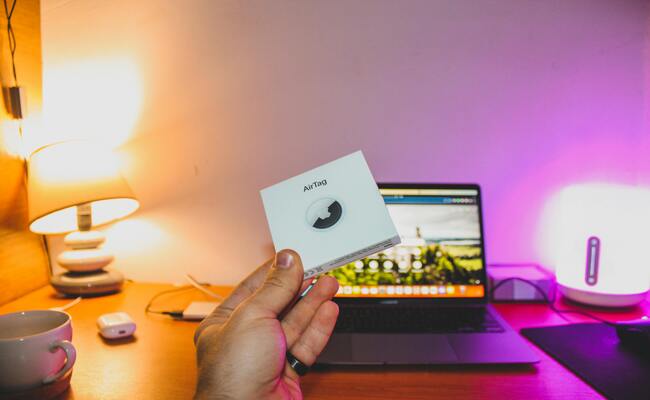
"Left my AirTag in a checked bag. Landed 3,000 miles away. It still shows the departure airport." This Reddit post from r/AirTag perfectly captures the confusion. And "How often does Airtag update location?" is a frequently asked question.
In this article, we will discuss how often an AirTag updates its location. We will explain how they actually work to clear confusion. We will share the factors that affect location updates and discuss the range and reasons for no updates.
How Often Does AirTag Update Location?
An AirTag updates its location every 1 to 5 minutes in ideal conditions. But "ideal conditions" is the key phrase here. Your AirTag does not have GPS built into it. It does not connect to cellular towers. It only broadcasts a simple Bluetooth signal.
That signal contains no location information at all. It only contains a secure, rotating identifier. The actual location comes from other Apple devices passing by. Every iPhone, iPad, or Mac within 30 feet hears it. Those devices then report, "I heard an AirTag at this GPS coordinate." The report goes to Apple's servers. Then you see the location in your Find My app.
Key Factors for AirTag Updates:
- Device Density: More Apple devices mean faster updates. An airport might update every 30 seconds. A suburban street might take 10 minutes. A rural road might never be updated.
- Movement of the AirTag: A moving AirTag passes through more Bluetooth zones. A static AirTag in a drawer might stay hidden for hours.
- Bluetooth Signal Strength: Obstacles kill range. Your body blocks the signal. Metal luggage interferes heavily. Concrete walls reduce the range to just a few feet.
- Internet Connection: The passing iPhone must have an active internet connection. An iPhone in airplane mode cannot report anything. The AirTag itself does not need the internet. The relaying devices absolutely do.
- Battery Health: Apple rates the battery for one year. Low voltage weakens the Bluetooth transmitter. A dying battery might reduce the range from 30 feet to 10 feet.
Why Your AirTag Not Updating Location?
Airtag not updating location is one of the most common complaints across Apple's support forums. Users panic when their $29 tracker shows a location from six hours ago.
Reasons for AirTag location update failures:
No Apple Devices Are Nearby: This is the most common reason. Your AirTag requires at least one Apple device within Bluetooth range. An AirTag in an empty parking lot will never update. A rural highway might go hours without detection.
Poor Internet Connection: A passing iPhone might detect your AirTag perfectly. But then it fails to upload that data. Why? The iPhone itself needs cellular data or Wi-Fi. An iPhone in a subway tunnel has no signal. Your AirTag's location sits on that person's phone until they get better internet.
Low or Dead Battery: AirTags use CR2032 lithium coin cell batteries. Apple rates them for one year of normal use. The Find My app shows a battery warning when levels drop low. But the AirTag may stop functioning before you receive that warning. Cold temperatures temporarily reduce battery performance.
Signal Interference: Bluetooth operates on the 2.4 GHz frequency band. Wi-Fi routers, microwave ovens, and baby monitors all use the same frequencies.
Location Services Disabled: Your iPhone must have both Bluetooth and Location Services enabled. Check Settings > Privacy > Location Services. Also, ensure "Find My network" is turned on. Go to Settings > [Your Name] > Find My > Find My iPhone. This setting allows your iPhone to relay other people's AirTags.
How to Refresh AirTag Location?
Sometimes your AirTag appears stuck on an old location. Manual intervention can force a fresh update. Try these steps in order from easiest to most involved. Stop when your location updates successfully.
Step-by-step guide to refresh AirTag location:
- Open the Find My app on your iPhone. Tap the Items tab. Select your AirTag from the list. Look at the timestamp showing when the location was last updated.
- Pull down on the screen to manually refresh the location. Hold the pull for at least two seconds. Release and watch the timestamp. If it changes to "Now," your problem is solved.
- Move closer to where you believe the AirTag is located. Walk within approximately 30 feet of the suspected area. Open Find My again. Tap "Find Nearby" if available.
- Toggle Bluetooth off and back on. Open Control Center. Tap the Bluetooth icon to turn it off. Wait five seconds. Tap it again to turn it back on.
- Enable Airplane Mode for 10 seconds. Open Control Center. Tap the Airplane icon. Wait 10 seconds. Tap it again to disable Airplane Mode.
- Restart your iPhone completely. Press and hold the side button and either volume button. Slide to power off. Wait 30 seconds. Press the side button again until the Apple logo appears.
- Remove and reinsert the AirTag battery. Press down on the metal back cover. Rotate counterclockwise. Remove the CR2032 battery. Wait 10 seconds. Reinsert the battery. Replace the cover and rotate clockwise.
What's the AirTag Range?
Apple officially states that the AirTag Bluetooth range is approximately 33 feet or 10 meters under ideal conditions. This range applies only to direct connections between your iPhone and your AirTag. Walls, floors, and human bodies reduce this range dramatically. A concrete wall might cut the range to 10 feet. A metal filing cabinet might block the signal entirely.
The real "range" of an AirTag is fundamentally different. Your AirTag works anywhere on Earth where Apple devices exist. That is not an exaggeration. An AirTag in Tokyo can be detected by a stranger's iPhone from London. The range is measured in global Apple device density. Antarctica has almost no Apple devices. Your AirTag would never update there. Midtown Manhattan has millions of Apple devices. Your AirTag would update constantly, potentially every few seconds.
The second-generation AirTag, announced by Apple in January 2026, significantly improves direct range. Precision Finding now works from 50 percent farther away. The Bluetooth chip upgrade provides stronger transmission power. Direct connection range increases to approximately 50 feet in ideal conditions. However, the fundamental limitation remains: no nearby Apple devices means no updates at all.
FAQs
Can AirTags update location in real time?
No, AirTags do not provide real-time GPS tracking. Updates occur only when nearby Apple devices detect the signal, typically every 1 to 5 minutes.
Do AirTags get flagged by TSA?
No, TSA does not flag or restrict AirTags in luggage. They are completely safe for air travel in both checked and carry-on bags.
Can an AirTag track a car?
Yes, you can place an AirTag in a car. However, updates are not instant or continuous. A moving car on a busy highway updates frequently. A parked car in an empty lot may not update for hours.
Conclusion
The location of an AirTag updates every 1 to 5 minutes in ideal conditions. It is not a GPS device. Instead, it is a network device that connects to a nearby Apple device to send its location to the Find My app. Which means if there is no device nearby, the location won't update. However, there are also other reasons that prevent the location from updating. If you feel there is an issue with your AirTag, you can refresh it by following the steps we have shared.
Search
Subscribe for the Latest Updates
Security insights & offers right into your inbox