
How Much Video Can 32GB Hold? Complete Storage Guide
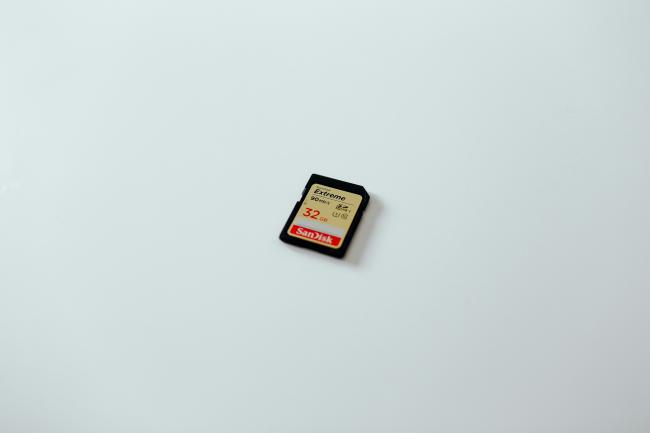
People often ask how many videos can 32GB hold or 32GB SD card how many hours of video before they press the red button. The simple answer is “it depends,” but the majority of shoppers desire a no-frills number so that they can purchase the correct card and not run out of space at the most inappropriate time.
Here, this guide will take all the typical resolutions and list the real runtimes, demonstrate the reasons as to why the numbers are increasing or decreasing, and conclude with a clear instruction whether the phones, action camera, dash cameras, and home security units require 32GB or not.
How Much Video Can 32GB Hold?
There is a 32GB card that will give you around 29GB of free disk space once the file system and card firmware have taken their share. A minute of video would take approximately 60MB at the default internet-standard of 1080p 30fps when recording and the standard MP4 codec of 8Mbps. Dividing 29,000MB by 60MB brought you near to eight hours of video 32GB card with 60MB per minute.
How Much 4K Video Can 32GB Hold?
The fact that the file size of 4K is bigger is because in every frame, it has 4 times more pixels compared to the amount of pixels in 1080p. The median consumer digital camera has the capability to capture 4K 30 Fps at 60MBps. One minute of current usage takes 450MB, such that, in 64 minutes, 29,000MB can be used. Enabling the high-detailed mode of the camera with the camera at 100Mbps will only record around 38 minutes. In other words, 32GB allows one hour of filming in 4K in case you use the default settings.
How Much 1080p Video Can 32GB Hold?
The numbers can be applied in day-to-day life, as most users do not exceed 1080p. The card is known to store eight hours at 30fps and 8Mbps. Shooting sports at 60fps will typically cause the camera to increase the data rate to 16Mbps, or half the time to four hours. At 24Mbps, the color profile is high, and this once more reduces the overall time to approximately three hours. Regardless of the flavor you choose of the 1080p, you will end up between three and eight hours in 32GB.
How Much 720p Video Can 32GB Hold?
At this point, you may be asking how much video can 32GB hold 720p, right? 720p is still used in body cams, drones, and live-stream backups. A 5Mbps stream develops a file of 37MB in a minute. Division of 29,000MB by 37MB results in 780 minutes or thirteen hours. You still clear eight hours even in case the camera drives the bit rate to 8Mbps to keep up with the fast motion. To any user who may be interested in knowing the maximum storage time of video 32 GB at 720p, a safe range of between eight and thirteen hours exists.
How Many Hours of Video Can 32GB Hold by Resolution?
The jump from 720p to 4K shows why resolution is the biggest lever on card life. The table below keeps the frame rate at 30fps and uses the bit rates you will see printed in most manuals.
Factors That Affect How Much Video a 32GB Can Hold
The table gives clean numbers, yet real life rarely sticks to the box. Several small choices add up and can swing the total by hours. Keep the list below in mind before you depend on a single card for a wedding, a road trip, or a security install.
- Bit Rate Choice: The camera menu can include HQ, SP, or LP. HQ could reduce more than two-thirds capacity by switching from 8Mbps to 24Mbps. Homestay is the minimum bit rate that appears good in your project.
- Codec and Compression: H.264, H.265, and AV1 do not treat pixels equally. H.265 has the ability to reduce file sizes by thirty percent yet preserve detail, which means that the same card can be used with additional run-time in the event both camera and player are capable of supporting it.
- Frame Rate: An increase in frame rate by a factor of two (i.e., 30fps to 60fps) can increase bit rate by a factor of two. Even more data is blown out by the slow-motion modes at 120fps. Adjust the frame rate to the action to ensure that you do not waste space on motion that you will never need.
- Audio Track: A stereo 48kHz track adds 1.5Mbps, which sounds tiny but costs almost 1GB over an eight-hour shoot. Turn off extra audio channels if the clip is only for B-roll.
- File System Overhead: SD cards are either formatted in exFAT or FAT32. exFAT uses less space on large files, so you will buy yourself a few extra minutes once files exceed 4GB each, than using FAT32.
- Loop Recording and Fill-Up: Some cameras keep five percent spare to avoid write errors. Others stop dead at 95 percent. Check the manual; the last brick of space may stay locked away.
- Temperature and Battery: A card that overheats can throttle write speed and split long takes into many small files. Each split adds padding and costs space. Keep the camera vented and the battery full so recording stays smooth.
- On-Card Software: Security cams save parking-lot metadata, and action cams embed GPS. These sidecar files are small, yet they nibble away at the same 29GB pool.
Is 32GB SD Card Enough for Security Camera Recording?
A local storage security camera with only a 32GB drive can last two or four days at 1080p when it is only moving. When the same camera works twenty-four hours a day, the card will be filled up in approximately eight hours, and then, before you get to eat breakfast the next day, you will have overwritten the oldest clip. Security kits that supports 128GB SD card and above are required by the majority of security kits because this will allow the camera to capture one week of recording with higher resolution.

Groundbreaking 16MP Dual-Lens PoE Camera
16MP UHD, Dual-Lens, Motion Track, 180° Wide Viewing Angle, Power over Ethernet, Color Night Vision.
FAQs
How much video can fit on 32 GB?
Formatted memory is approximately twenty-nine gigabytes. With a memory capacity of 1080p 8Mbps, it means that it can hold 8 hours of MP4 video.
How many hours of video can 32GB hold 1080p 60fps?
The majority of cameras are increased to 16Mbps at 60fps, meaning the camera has the ability to record four hours of high-quality motion video on a single 32GB card.
How long is a 4K video on 32GB?
At the stock 60Mbps setting, an hour of 4K footage consumes the card. Better quality modes reduce the time to approximately thirty-eight minutes.
Is 32GB enough for 4K?
Yes, only when you organize clips less than one hour. Travelers and vloggers tend to go with at least two 128GB cards to ensure that they will not miss any shots.
Conclusion
You are now fully aware of the number of videos that 32 GB can store at 720p, 1080p, and 4K concurrently and how bit rate, codec, and frame rate can either multiply or divide that number. The yardsticks to keep in mind are eight hours at 1080p, 4 hours at 1080p 60fps, and one hour at 4K.
Use the bullet list of factors before every shoot so you are not surprised when the red “card full” light blinks. If you have a favorite camera or a special use case, share your real-world minutes in the comments so other readers can compare notes.
Search
Subscribe for the Latest Updates
Security insights & offers right into your inbox