
How Long Do Routers Last? Signs It’s Time to Upgrade
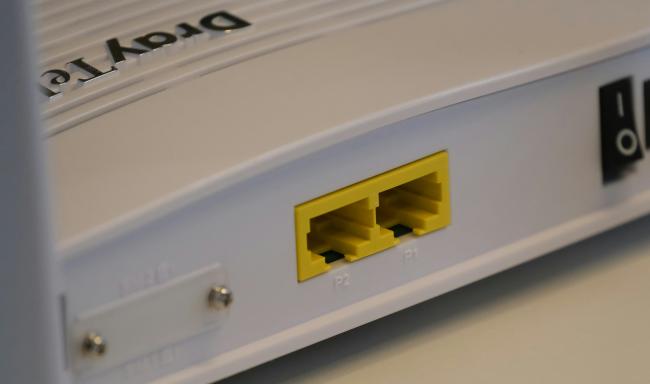
Routers sit at the center of every home and small-business network, yet many users do not think about them until they fail. In this comprehensive article, we shed light on the big question of how long do routers usually last and what signs indicate that your current one has come to that final point.
You can also get to know the most important things that tend to reduce or extend the life of a router, as well as the measures you can employ to make yours serve effectively to last a long time.
How Long Do Routers Last?
When installed in a typical household, the majority of consumer routers can last for a period of three to five years. Such a period presupposes regular day-to-day usage, quite low intensity, and elementary maintenance, like ensuring the vents are not clogged. At the 5-year mark and beyond, there is a rapid increase in the failure rate due to aging internal parts, cessation of security updates to firmware, and obsolescence of wireless protocols.
Business models are expected to be maintained, or outlast personal models (a total of about seven years) since they are made of more durable components, and supported longer than personal ones, but even the business models wear out when they cannot service the new requirements of speed or protection expectations.
How Long Should a Router Last? What Affects It Most
A router’s life span is not set in stone. Several conditions either protect the device or push it toward early retirement. Below, we break down the five drivers that matter most.
1. Usage patterns
Heavy use shortens a router’s life. Streaming 4K movies on multiple screens, backing up large data sets to cloud storage, or running servers at home keep the processor and radio chips at full load. High traffic produces more heat, which stresses solder joints and capacitors. Constant peak usage can trim a year or two off the expected five-year window. Light browsing and occasional video calls place far less strain, letting a well-built router cross the five-year mark with ease.
2. Environment
A conducive environment is lacking due to dust, heat, and bad air. In routers, passive cooling is used through the use of plastic vents. When the user places the unit in a TV cabinet or a hot cable box, there is no way the heat will be released. Interior temperatures are rising, causing chips and circuit boards to wear up.
In beach houses, the metal antennas and the connectors rust due to salt in humid air. Plastics are very susceptible to heat, and sunlight could ruin them as well. The ideal location of a router is an open shelf in the middle of a home, which should be devoid of heaters, windows, and the kitchen.
3. Firmware support and updates
Security has no rest. Vendors post new firmware to bug-fix, seal holes, as well as streamline performance. Once a manufacturer discontinues support, the router can no longer get updated fixes to new threats. A router without support will prove to be a threat to all the connected devices.
Nature of support differs: budget models typically stop receiving updates after just two years, whereas the best brands offer five or even seven. When you want to buy, make sure you look at the policy of the vendor. Wear of the hardware is not the only reason to upgrade, but rather an early termination of support.
4. Technology advancements
Radio standards change every two or so years. With each leap, we have broader channels, more effective modulation, and less latency. Wi-Fi 5 (802.11ac) dominated the market since 2013. Wi-Fi 6 (802.11ax) emerged in the year 2019 and had an improved speed in congested households. Wi-Fi 6E expanded Wi-Fi 6 into the 6 GHz band in 2021, creating a new highway with clean air because there are no old devices in it.
The router made in 2016 would still be able to power the email, but it would not be able to serve the gigabit fiber and manage all the dozens of smart devices well. Mobiles, laptops, and game consoles capable of Wi-Fi 6E will not be able to attain the designed speed in a Wi-Fi 5 router. The speed of wireless development leaves even healthy users looking and feeling old after four to five years.
5. Power surges
Routers are also wall-pluggable, hence, like any other device, they are at electrical risk. Spikes can be caused by lightning, switching your utilities, or a malfunctioning fridge motor sending a sharp spike along the power line (or ethernet cable). Surge suppressors help in reducing an instant death, but small jolts may, over a period of time, spoil the power-regulation circuits.
In areas of unstable grids, the damage will occur quickly, and the life expectancy will be cut by as little as two to three years unless you put proper protection measures in place, like an uninterruptible power supply (UPS) with surge filtering.
Signs Your WiFi Router Can't Last Longer
The day-to-day operation of your network may hide the first hints of router decline. Watch for these clear warnings that the end is near:
- Slow speeds: Speed drops that persist after you reboot the router and run fresh speed tests point to failing radio chains or an overloaded processor. If wired connections remain fast but Wi-Fi tanks, the wireless module may be dying.
- Overheating: A router that feels too hot to touch or shuts down on warm afternoons has poor thermal health. Aging thermal pads, dust-clogged vents, and worn capacitors cause internal temps to spike under normal load.
- Weak connection: Signal bars that once stayed full now dip low across your home. Antennas loosen, solder joints crack, and radio power fades with age, shrinking coverage even when no new walls block the path.
- Malfunctioning equipment: Frequent drops, kernel panic reboots, or lights that freeze indicate failing memory or flash storage. When resets and firmware flashes no longer fix random lockups, prepare to replace the unit.
- Incompatibility with new devices: If a brand-new phone or smart TV fails to connect at modern speeds, the router likely uses old standards or lacks bandwidth for high-density networks. Modern gadgets expose the age gap fast. For example, a Wi-Fi 6 security camera will perform at its best when paired with a Wi-Fi 6 router.

4k 180° Wire-free Color Night Vision Camera
4K UHD 180° Blindspot-free View; Color Vision Day and Night; 30% More Battery Life; Dual-band Wi-Fi 6; Smart detection.
How to Extend Your Internet Router’s Lifespan?
You can delay replacement and protect your investment with these practical steps:
- Place it well: Keep the router on an open shelf, upright, and clear of clutter so air moves through its vents. Avoid cabinets, closed closets, or stacking units on top of hot electronics.
- Clean it often: Dust acts like a blanket. Use compressed air every few months to blow out vents and antennas. Regular cleaning lowers heat and prevents fan noise on models with active cooling.
- Update firmware on schedule: Log in to the admin panel once a quarter, check for updates, and apply them. Timely patches add features, fix bugs, and improve stability, reducing crashes that stress hardware.
- Use surge protection: Plug the router and modem into a reliable surge protector or a UPS. Protect Ethernet runs that leave the house with in-line surge modules rated for network lines.
- Reboot smartly: Power cycles clear memory leaks, but constant plug-pulls strain the power supply. Schedule a weekly or monthly automatic reboot through the router’s tools instead of yanking the cord each time Wi-Fi slows.
FAQs
How long does a router last?
A well-built consumer router used in normal conditions delivers solid service for three to five years. Business models, located in clean server rooms and fed by stable power, can stretch closer to seven. Harsh heat, dust, or heavy traffic shortens those ranges.
How often should routers be replaced?
As soon as you experience a constant loss of speed, a drop in connections, or a lack of firmware support, though the hardware still turns on, you should replace the router. To keep up to date with new Wi-Fi standards and security updates, most homes upgrade every four to five years to maintain a Wi-Fi standard.
Do WiFi routers wear out?
Yes. Routers contain silicon chips, capacitors, and flash memory that age each time they heat and cool. Radio power amps lose output over thousands of duty cycles, and firmware support ends. Like any electronics, wear accumulates until performance and reliability fall below acceptable levels.
Conclusion
Routers do not last forever. The typical unit serves well for about five years before age, heat, advancing standards, and loss of vendor support converge. Watch for slow speeds, overheating, weak signals, glitches, and new-device issues—the clearest signs a router has reached retirement. Place the device in a cool, open spot, keep it clean, update firmware, and guard against power spikes to stretch its life. Share your own router stories and upgrade experiences in the comments below.
Search
Subscribe for the Latest Updates
Security insights & offers right into your inbox