
Does AirTag Work with Android?
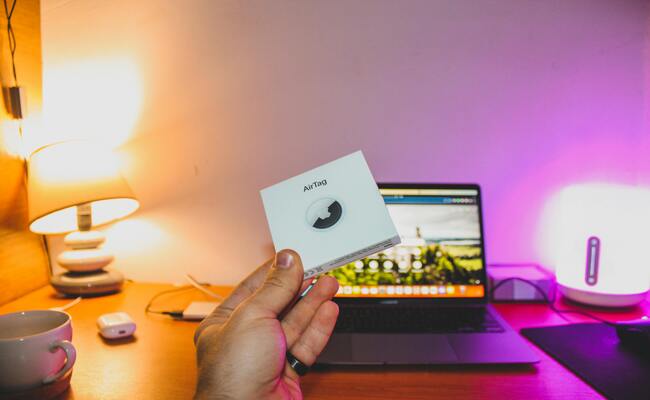
"Just bought four AirTags. I have a Pixel 6. Did I mess up?" This Reddit post from r/AndroidQuestions sums up the confusion perfectly. The short answer hurts. The long answer frustrates.
Can AirTags be used with Android devices at all? Apple built these tiny trackers exclusively for iPhones. But millions of Android users still buy them, hoping for a workaround. Let's end the confusion. Here's what actually works, what doesn't, and whether you should bother.
Does AirTag Work with Android?((The Workaround))
The short answer is no, not with full functionality. Apple designed AirTags to work exclusively within the Apple ecosystem. An AirTag cannot be set up, configured, or paired using an Android device. The initial setup requires an iPhone or iPad with the Find My app. Without an Apple device, an AirTag remains a useless piece of plastic and metal.
Apple released an Android app called "Tracker Detect" specifically for scanning unwanted AirTags that may be tracking you. The app scans for AirTags separated from their owner and moving with you. If detected, you can play a sound to locate the device. Once you physically find an AirTag, tapping the white side against your NFC-enabled Android phone opens a webpage displaying its serial number and any lost contact information left by the owner.
Android cannot set up or pair an AirTag from scratch. It cannot see the AirTag location in real-time through the Find My network. It cannot receive separation alerts when you leave an item behind.
How to Use AirTag with Android?
To use AirTag with Android as your primary tracking solution requires borrowing an Apple device. This workaround has significant limitations, but it technically works for households with mixed devices.
- Borrow an iPhone or iPad from a family member, friend, or coworker. You need physical access to an Apple device logged into an Apple ID.
- Open the Find My app on the borrowed Apple device. Tap the "Items" tab at the bottom of the screen.
- Tap "Add Item" and select "AirTag" from the menu. Follow the on-screen instructions to pair the AirTag with your Apple ID.
- Name your AirTag based on the item you are tracking (for example, "Backpack" or "Keys"). This helps identify it later.
- Attach the AirTag to your item. The iPhone owner can now see your item's location in their Find My app.
- Ask the iPhone owner to share location updates with you manually via text message, WhatsApp, or any other messaging app whenever you need to find your item.
Note: This workaround leaves you completely dependent on the iPhone owner. No real-time access. No separation alerts. No independent functionality.
What You Need to Consider When Using Air Tags for Android Devices
Before purchasing AirTags as an Android user, understand what you are getting into. AirTag devices are not a plug-and-play solution for Android. These considerations will save you money and frustration.
- You cannot set up AirTags yourself. Every AirTag requires an iPhone or iPad for initial configuration. Without access to an Apple device, the AirTag is worthless plastic that does nothing at all.
- Ongoing functionality depends entirely on the iPhone owner. The person who set up the AirTag owns it on their Apple ID. They see its location. You rely on them to share information manually. If they leave or lose interest, your AirTag becomes completely useless.
- No real-time tracking on your phone. Unlike iPhone users who open Find My and see their item instantly, you must text someone and wait for them to check the location. That delay can mean losing valuable time finding lost items.
- No separation alerts ever. AirTags can notify iPhone users when they leave an item behind. Android receives nothing. You will walk away from your bag and never know until you need it hours later.
- Precision Finding is iPhone-exclusive. The ultra-wideband technology that points arrows toward your lost keys works only on newer iPhones. Android users get no directional guidance whatsoever.
FAQs
Is there an AirTag for Android?
No, Apple does not make an AirTag for Android. However, Samsung offers SmartTag for Galaxy devices, and Tile provides cross-platform trackers that work with Android phones.
What is the Samsung equivalent of an AirTag?
The Samsung Galaxy SmartTag and SmartTag+ are Samsung's direct equivalents. They work exclusively with Samsung Galaxy devices using the SmartThings Find app for tracking.
Will an Apple AirTag work on a Samsung?
An AirTag will not work on a Samsung phone for setup, tracking, or precision finding. A Samsung can only detect unwanted AirTags using Apple's Tracker Detect app for privacy purposes.
Conclusion
Technically, you cannot use AirTags on Android devices for tracking. Practically, you can do it, only for detecting unwanted surveillance. Apple built it exclusively for its own ecosystem. Android users cannot set them up, track items, or receive alerts. The sole bridge between ecosystems exists for privacy, not convenience. Android users needing item trackers can go with Samsung SmartTags or Tile devices. They offer complete functionality without Apple's restrictions.
Search
Subscribe for the Latest Updates
Security insights & offers right into your inbox