
Can Siri Call 911 for You? iPhone Emergency Guide
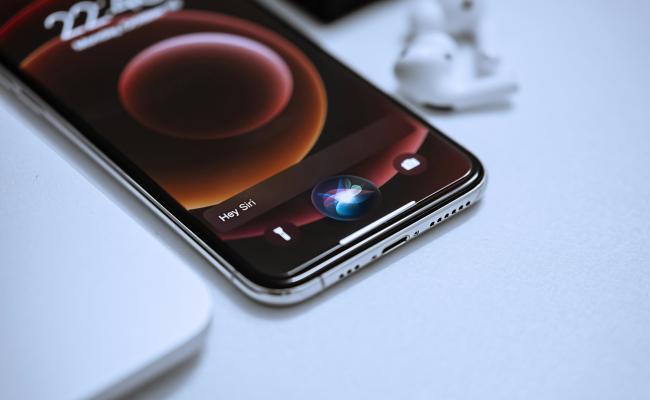
Every iPhone owner needs to know one simple fact: in a crisis, seconds matter. The question “can Siri call 911?” is not just curiosity; it can decide how fast help reaches you or someone you love.
This guide walks you through every way to understand can you tell Siri to call 911, what works when the screen is locked, and what to do if speaking out loud is impossible.
Can Siri Call 911?
Yes. Siri places a 911 call the moment you say the right trigger phrase. Apple built this feature into every iPhone sold in the United States, and the law requires carriers to route the call even if the phone has no active plan.
Can You Ask Siri to Call 911?
Yes, and you may ask in a number of ways. The best and most trusted phrases are Hey Siri, call 911 and Hey Siri, call emergency services. The servers of Apple can prioritize both commands as highly important and therefore can be used even when the phone has been switched into low-power mode or when the connection is not very good.
You do not need to pause between “Hey Siri” and the request; the microphone picks up normal speech speed. If background noise is loud, speak closer to the bottom edge of the phone where the mic sits. Foreign accents and soft voices still register because the assistant trains on your own voice over time.
Children as young as six have activated the feature successfully, so age or speech differences rarely block the call.
Can Siri Call 911 When Phone Is Locked?
Yes. Apple keeps emergency access above every privacy wall. When the screen is black, lift the phone or press the side button once to wake it, then say “Hey Siri, call 911.” You do not have to enter the passcode, show your face, or rest a finger on Touch ID.
If you disabled “Hey Siri” while locked for privacy reasons, hold the side button for one second until the Siri icon appears, then speak the command. This still skips the passcode. The only time Siri refuses is when the iPhone is in Airplane Mode with no Wi-Fi calling enabled, because no route to the tower exists.
Otherwise, even a locked, stolen, or found phone will connect to 911 through Siri. Dispatchers see the call come in as “911, wireless caller” and can still triangulate the location.
How to Use Siri to Call 911?
Before you need the feature, take sixty seconds to set it up correctly. A calm rehearsal now prevents panic later. The steps below assume you are running iOS 16 or later, but the flow has stayed the same since iOS 11.
- Turn on Listen for “Hey Siri.” Open Settings, choose Siri & Search, toggle on Listen for “Hey Siri,” and follow the five voice samples. The phone learns your voice only; strangers cannot trigger it.
- Confirm Allow Siri When Locked is on. The toggle sits just under the first one. Leave it green so the locked-screen rule above stays true.
- Test with the dummy phrase “Hey Siri, call 9-1-2.” This number is not an emergency line, so the call will not go through, but you will hear Siri read back “Calling 912” and see the five-second cancel window. Press Cancel to end the test. You now know the sound and timing.
- If you wear AirPods or Beats, enable Announce Calls. Siri then speaks the caller's name into your ear, so you know 911 is connected even if the phone is in a pocket.
- Practice the side-button method too. Turn the screen off, hold the side button until Siri chirps, then say “Call 911” and cancel at the countdown. Muscle memory forms fast.
- Tell family members the exact phrase. Kids often yell “Call the police!” which Siri understands, but “Call 911” is clearer. Everyone in the house should rehearse once.
- Keep the battery above twenty percent. Siri needs power, and emergency calls drain fast because the radio jumps to full strength. A car charger or battery pack buys extra minutes.
How to Make Emergency Calls on iPhone?
Siri is the only path to help. Networks can fail, voices can give out, or a stranger may need to use your phone. Apple gives five distinct methods to reach 911. Learn does Siri call 911, so you are ready for any scenario.
Method 1 – Voice Command with Siri
Speak “Hey Siri, call 911.” The assistant confirms out loud, counts down, then dials. This remains the fastest hands-free option.
Method 2 – Power Button Auto-Call
Press the side button five times quickly. A loud siren sounds, and the Emergency SOS slider appears. Keep holding the buttons; the slider counts down from three and calls automatically. This works even if “Hey Siri” is off, and it sends your location to any emergency contacts you listed in Health.
Method 3 – Lock-Screen Emergency Call
Wake the phone, swipe up (or press Home on older models), and tap Emergency in the bottom-left corner of the passcode screen. The dial pad opens with 911 pre-entered; press the green button. A child or rescuer who does not know your passcode can still reach help this way.
Method 4 – Apple Watch Fall Detection
If you own an Apple Watch Series 4 or newer and have a hard fall while wearing it, the watch taps your wrist, sounds an alarm, and shows a sixty-second countdown. If you do not respond, it calls 911 on its own using the paired iPhone or its own cellular radio. Your wrist remains the microphone, so speak toward it.
Method 5 – Text to 911 Where Available
In over 1,600 U.S. counties, you can open Messages, enter 911 as the recipient, and type your emergency. Siri cannot send the text, but you can dictate each word. The message goes through the same towers, and dispatchers see your approximate location. Check with your local police to confirm the service is live in your area.
Install a security camera with remote viewing to stay prepared for emergencies. The companion app instantly alerts you if anything unusual is detected.

Groundbreaking 16MP Dual-Lens PoE Camera
16MP UHD, Dual-Lens, Motion Track, 180° Wide Viewing Angle, Power over Ethernet, Color Night Vision.
FAQs
Will Siri call 911?
Yes. Siri dials 911 as soon as you say, “Hey Siri, call 911.” A five-second cancel window prevents mistakes, then the call goes through.
Can Siri make 911 calls?
Yes. Siri treats 911 like any phone number. Once the command is confirmed, the iPhone connects to the nearest dispatcher without asking for a passcode.
How to quietly call 911 on iPhone?
Press the side button five times rapidly. Release when the Emergency SOS slider appears. The phone counts down silently and calls 911 without sound if the ringer switch is off.
What can Siri do in an emergency?
Siri can call 911, text emergency contacts, read your medical ID aloud, and give your location to dispatchers. It cannot send photos or videos to 911.
Conclusion
The answer to “can Siri call 911?” is a clear yes, and Apple gives you more than one way to make that happen. Voice, buttons, lock-screen, watch, and even text routes all lead to the same emergency desk. Set up “Hey Siri” today, rehearse the countdown once, and show every family member how the locked-screen rule works.
Share this guide with friends, test the steps tonight, and leave a comment about any extra tips you want added. Your experience might save someone else’s life.
Search
Subscribe for the Latest Updates
Security insights & offers right into your inbox