


Reolinkの特典キャンペーン、ニュース、最新情報を見逃さない!
あなたの考えや意見を私たちや他のユーザーと共有してください。あなたの提案で何かを作り出しましょう!
Subscribe to get real-time updates of Reolink.
Choose only show current products
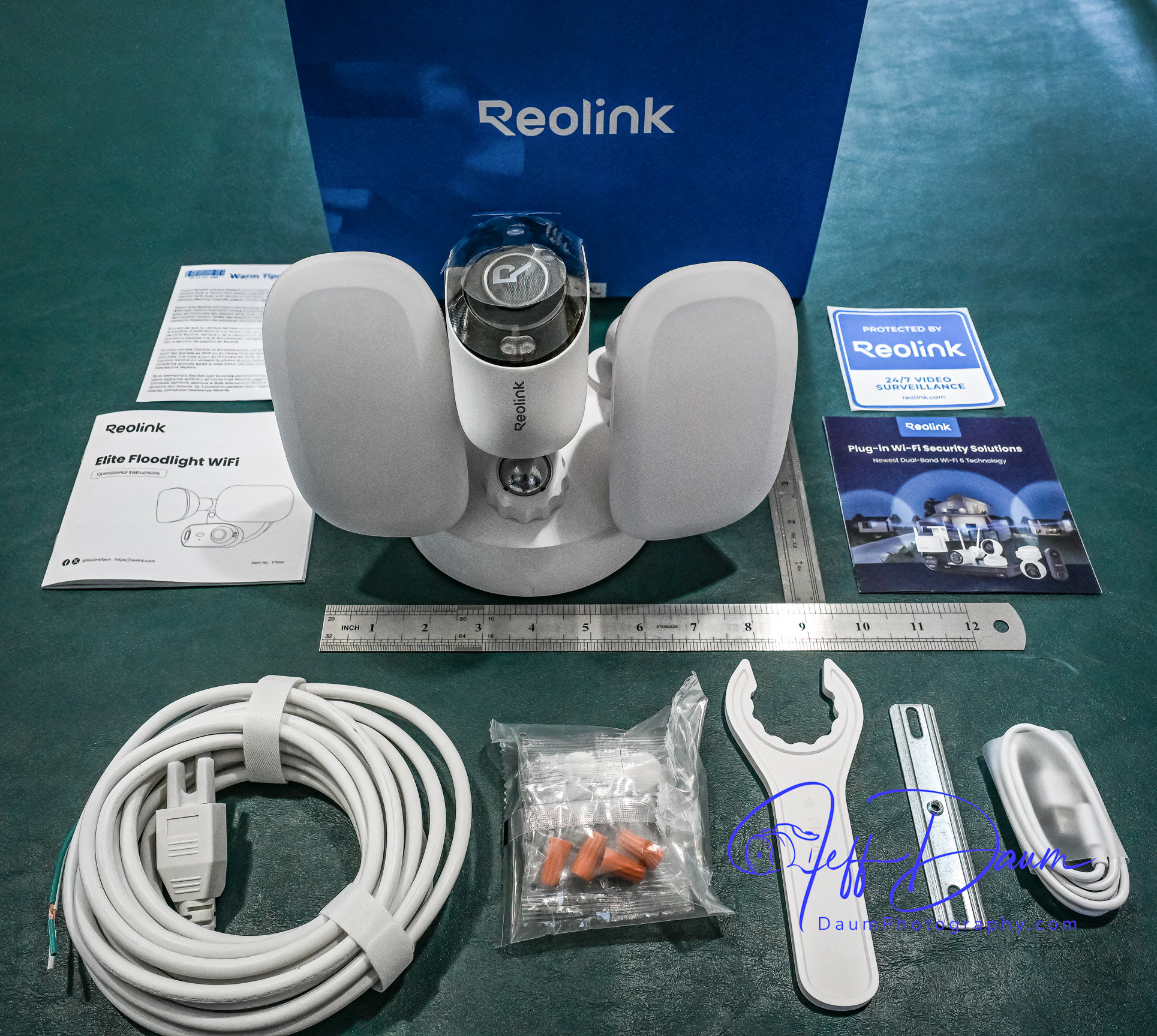
In a word, this Reolink Elite Floodlight WiFi surveillance camera is truly impressive. Reolink raises the bar for surveillance systems on multiple levels including image quality, ease and flexibility of use and AI-assisted search of recorded videos.
Reolink’s smart phone app is very easy to use and well designed. It opens to a live stream of the camera’s 180 view. The app is intuitive with icons to trigger the 105dB siren, floodlights, two-way audio, snap a picture or start a recording, talk over its built-in speaker, playback recorded events and access your settings.
They also have free versions of the app available for use on a PC or Mac that are equally easy to use.
The key function that sets Reolink’s app and this Elite 4K Floodlight WiFi surveillance camera apart from competition is the ease you can review recorded videos. Instead of having to wade through potentially hours of video to find what you are looking for Reolink uses AI to do it for you!
When you click on Playback on the phone, it loads the videos by date and then there is an icon that allows you to sort/search by event type. For example, you can choose to see all videos where a person entered the field of view, or a vehicle, or animal or combination of these. When you select one or more of these filters, it then quickly sorts through the videos and brings up only those matching your selection. If you used the settings function to define a specific line or zone in the viewing area, you could also select to see videos where someone has crossed the line or entered the zone. It can even identify and sort when someone is loitering in the viewing area.
When you are looking at saved videos, the app allows you to play the video at normal speed or as slow as ¼ speed or in increments up to 16xs speed. As mentioned, you can at any point snap a picture of what you are viewing, and/or download the current video.
The Reolink apps on PC or Mac are very similar to the smart phone app in functionality and ease of use.
I found this AI assisted search to be excellent and correct most of the time. It really saves so much time and effort searching through recordings to find an event.
This brings me to the quality of the image. Whether you are looking at the live feed or the recorded image, it is outstanding in both day and night versions. The image is sharp, the color excellent during the day and very good at night even with the floodlights set to lower lumen output (I did set the color temperature to 6000K and reduced the lumens to about half power).
The Reolink Elite 4K Floodlight WiFi surveillance camera and its free apps do not disappoint. The high quality180 degree view along with the AI search set this system apart from competition. It is easy to tailor it for your specific needs and is value-priced considering everything it delivers.
Images and short videos can be found at https://tinyurl.com/5dy475d5
役に立つ 3 皆はこれが役に立ったと思った
I'm just starting to get my all new Reolink hardware in place. This was the first camera I installed. The coverage is phenomenal. The picture clarity is also top notch. The connection through the app is fast and works excellent. So glad I'm upgrading from my old blink system as those were plain trash.
役に立つ 2 皆はこれが役に立ったと思った
The camera ticks all the boxes for me: WiFi, on-board SD slot for backup (you can set up the camera first, configure video recording and later add the camera to a Home Hub, now you have redundancy), and it is hardwired, which is really nice if you replace an existing floodlight, where you have mains but not PoE already in place.
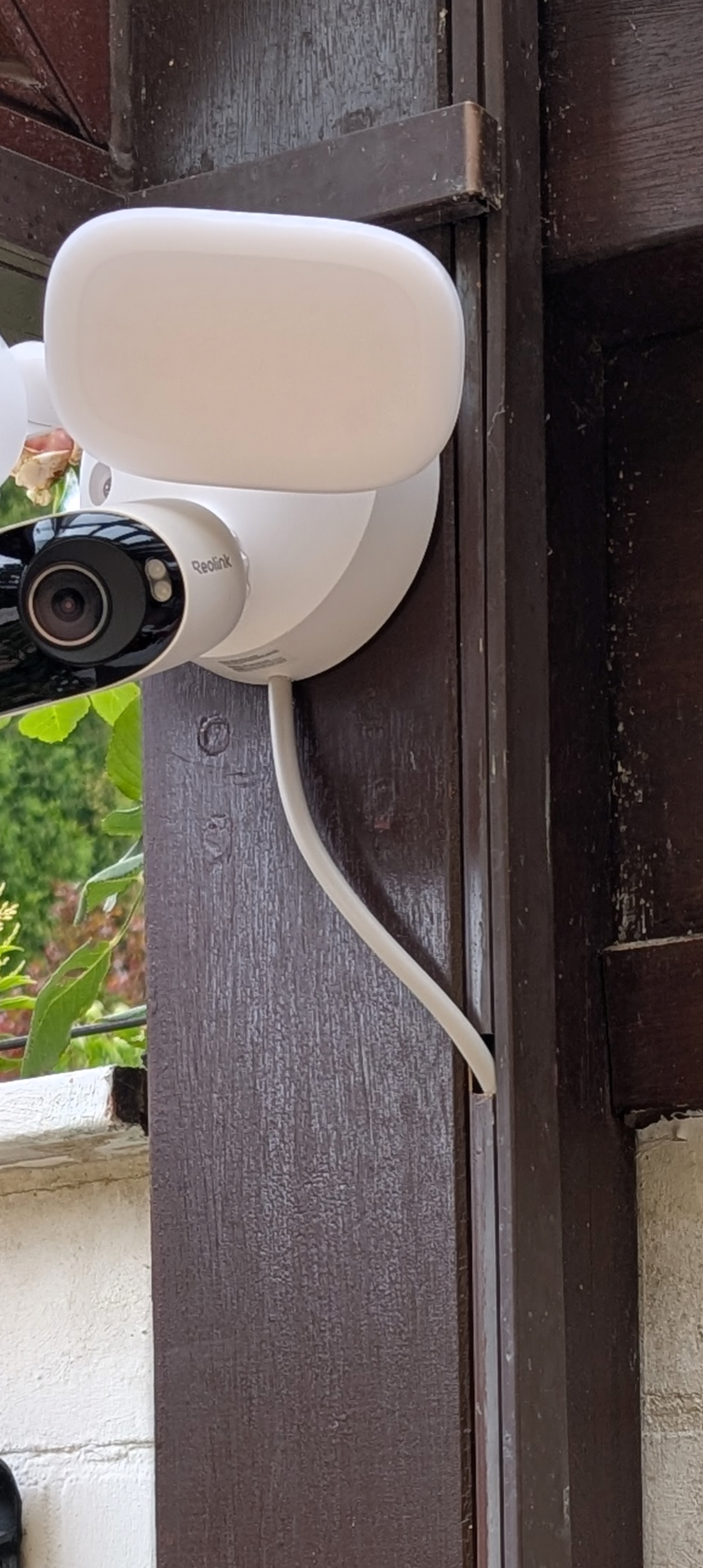
The camera is meant to be mounted either onto a round distribution box like its common in the US or directly onto the wall. These round junction boxes are not very common in Europe. There also exists a small hole in the bottom of the socket of the camera and I used this to route a standard German outdoor cable with 3 cores (NYY-J 3x1.5) into the camera socket (see picture). But this is a very tight fit and it damages a little of the outer shell of the cable. It would be better if there was a larger, rubber-sealed hole there instead.
A second thing that is annoying is software: You cannot delete videos manually. You either have to format the SD card or wait for it to fill up, which will then rotate the oldest videos. I don't understand why there is no option to manually delete individual recordings.
Still overall a really solid camera, the night vision is really good, detection is okay, FOV is good, floodlight is really bright. At this price point there is no alternative with local redundant storage (you need the Home Hub though for that).
役に立つ 2 皆はこれが役に立ったと思った
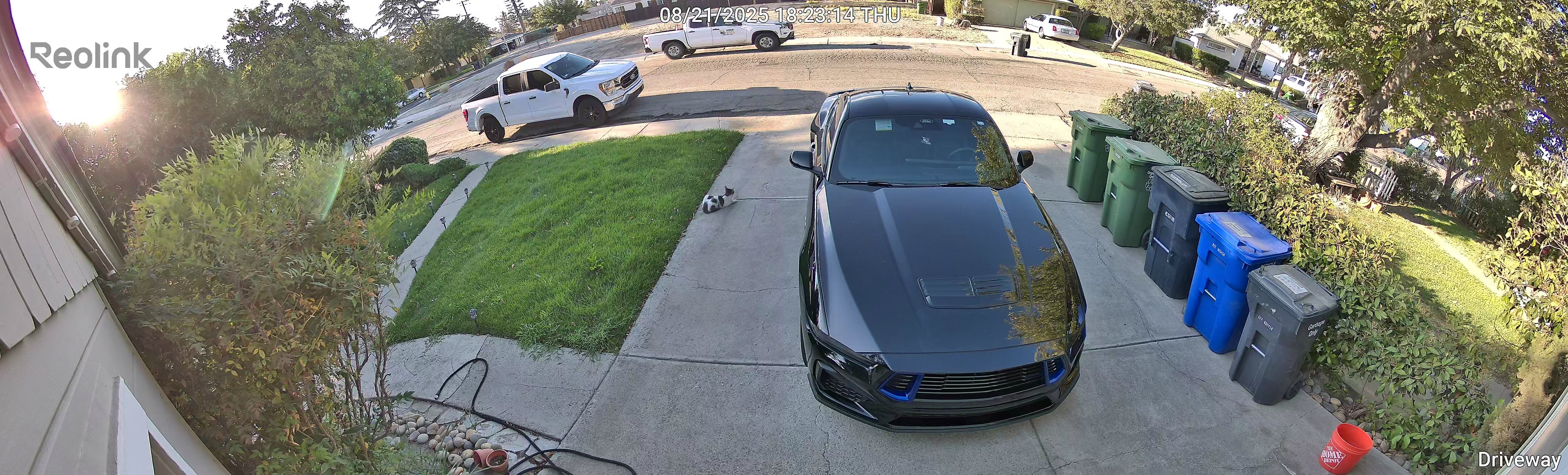
The video quality is simply incredible! The floodlight is bright, but not so bright that it bothers the neighbors. The installation was a breeze. The only issue is that some settings are missing when going through the NVR, but they can be adjusted if added as a standalone unit as well.
I’ll definitely be buying another one or two of these!
役に立つ 1 人はこれが役に立ったと思った
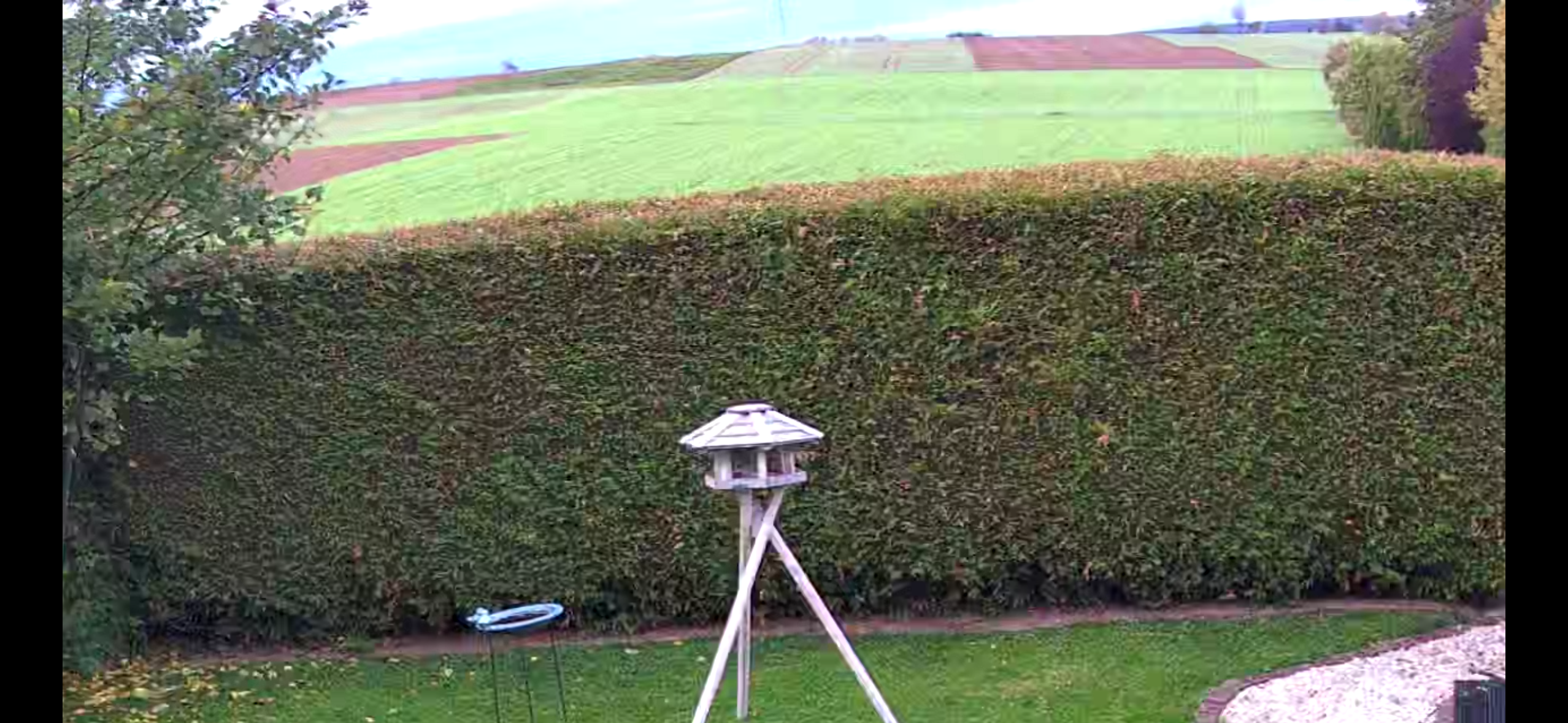
For our purposes it is the best garden camera. 180 degree field of view and excellent night vision protects our garden very well.
役に立つ
Very easy to install, great video and playback system. Love it!!
役に立つ
I bought this and it was easy to install, and hook up. I plan on getting another! I also bought 3 Poe duel tracking ptz which I enjoy even more only due to the tracking ability… yet this camera is just fine for my back yard due to the wide angle lens..
役に立つ
SO i've been waiting for this camera to release because i wanted to replace my 2 solar WIFI cameras i love. I was very excited, wired it in got it all set-up, 2 days worth of getting sensitivity good and then it snows....i mean didn't they test this camera in rain and snow? all it does is record and send me motion messages through the night cause it sees the snow and sees motion. An option to snooze it for more than 2 hours would be good but even so, i had to make it so flood lights wouldn't turn on every two mins. and silent my phone cause it was just recording motion all night long....what a pain. I turned the sensitivity all the way down, pain to have to reset it back up again when the snow stopped. That is my biggest regret with this camera, the other two older cameras from Reo link never had this issue.
役に立つ 18 皆はこれが役に立ったと思った
I had two of these units and both of them lose RF sensitivity after less than a week of operation. Upon installation the unit reports two bars of signal strength and has no trouble with video transmission. Once the unit drops the connection, the unit must be powered down for at least a couple hours for the unit to reconnect. It appears that the thermal effects on WIFI sensitivity is significant. In one location I replaced it with a RLC511WA which has worked without issues. If the units are placed where WIFI signal is quite strong, they work great. Upon first installation don't expect units to maintain a connection just because they able to make a solid reliable in testing at the mounting location. I will continue to use and recommend the camera but it has an issue that users should be aware of this issue. It seemed to affect both 2.4 & 5GHZ bands. Phones an tablets placed anywhere near (within 6 inches) all showed at least 2 bars on a 4 bar scale and locked on both 2,4GHZ & 5GHZ bands.
役に立つ 16 皆はこれが役に立ったと思った
Grundsätzlich finde ich die Kamera mit eingebauten Flutlich Klasse.
Fehlalarme (Personen) = 0% aber ich habe es schon geschafft die Kamera nicht auszulösen (aber nur durch Rücken zur Kamera)
Die Schwächen sind, dass es etwas zu lange dauert, bis das Flutlicht angeht, wenn jemand in den Erkennungsbereicht eintritt und wenn die Kammera direkt über einer Tür angebracht ist (beim herausgehen wird dort wird nicht ausgelöst und somit auch das Licht nicht angeschaltet) .
Als Erkennung habe ich z.Z. maximale Empfindlichkeit auf Personen.
Die Bewegungserkennung allgemein lässt sich leider nicht auf einzellne kleine Bereiche eingrenzen.
Des weiteren kann die Kamera über einer Tür nicht weit genug nach unten sehen und es gibt keine Unterdose für eine Trafo - beides durch einen selbst im 3D Drucker gedruckte Dose behoben.
役に立つ 4 皆はこれが役に立ったと思った



Google、Google Play、Googleアシスタント、および関連するマークとロゴは、Google LLCの商標です。
Amazon、Alexa、および関連するすべてのロゴは、Amazon.com, Inc.またはその関連会社の商標です。
MacとSafariは、Apple Inc.の商標です。
App Storeは、米国およびその他の国で登録されたApple Inc.のサービスマークです。
Firefoxの商標およびロゴは、Mozilla Foundationの米国およびその他の国における商標です。
その他、本サイトに記載されている会社名、商品名は、各社の商標または登録商標です。