Your cart is empty.

4K 8MP Wi-Fi 6 Plug-in Camera with 180° Panorama
Dual-Lens 180° View for Wider Coverage with Fewer Blind Spots
Dual-Band Wi-Fi 6 for Faster, More Stable Connections
Spotlight Night Vision for Clear Color Details After Dark
Smart Person/Vehicle/Animal Detection for Accurate Alerts
Powered by an advanced image stitching algorithm, the Duo 2 WiFi combines footage from two lenses into a 180° panoramic view with minimal distortion. A single camera can cover your driveway, front yard, or other wide outdoor areas, reducing blind spots and the need for multiple cameras.

The Reolink Duo 2 WiFi captures sharp 4K footage during the day and offers two night vision modes after dark. Infrared Night Vision provides clear black-and-white footage without visible lighting, while Spotlight Night Vision captures color details with built-in spotlights. You can switch between the two modes through the Reolink App based on your monitoring needs.
Enjoy faster, more stable connections with Wi-Fi 6 for reliable 4K live viewing and timely motion alerts. The 2.4 GHz band provides wider coverage for cameras installed farther from the router, while 5 GHz offers faster data transmission in areas with stronger signals. WPA3 encryption adds protection against unauthorized network access.


Reolink offers a Cloud service (available in select countries), enabling you to save photos and videos of the devices to the Cloud for extra security and easy access. Enjoy encrypted storage, snapshots, and even access your recordings if your device goes offline. Peace of mind, wherever you are.
Keep your captured images and footage safe with end-to-end encryption. Access your photos and videos anytime, anywhere.

Even if your device goes offline, you can still access the footage you saved on Reolink Cloud anytime. Stay connected to what matters.

Versatile storage options are offered: microSD card, FTP/NAS server, Reolink Home Hub Series, and NVRs. Choose the solution that suits you best and enjoy reliable access to your footage, whether stored locally or on the network.
*You can also choose to store motion recordings in Reolink Cloud (available in select countries).
Supports up to 512GB microSD card for local storage.
Works effortlessly with the Reolink Home Hub and
its Pro version for encrypted and centralized storage.


Mount the camera on the ceiling for a bird’s-eye view, perfect for covering larger areas with a unique vantage point. Whether indoors or outdoors, this setup ensures comprehensive monitoring with style and ease.

Designed to withstand the elements with IP67-rated weatherproofing, this camera is ready for any challenge. Mount it on walls to achieve a clear, wide-angle view, whether protecting your driveway or monitoring your backyard.

Smart person, vehicle, and animal detection distinguishes relevant activity from general motion to reduce false alarms. Receive more accurate push notifications and email alerts, so you know what triggered each alert.
Monitor your property anytime, anywhere through the Reolink App with support for multiple users viewing simultaneously.
Effortlessly find footage of specific events using filters and a clear timeline for smooth playback.
Set motion zones to focus on what matters most, ensuring alerts are tailored to your needs.



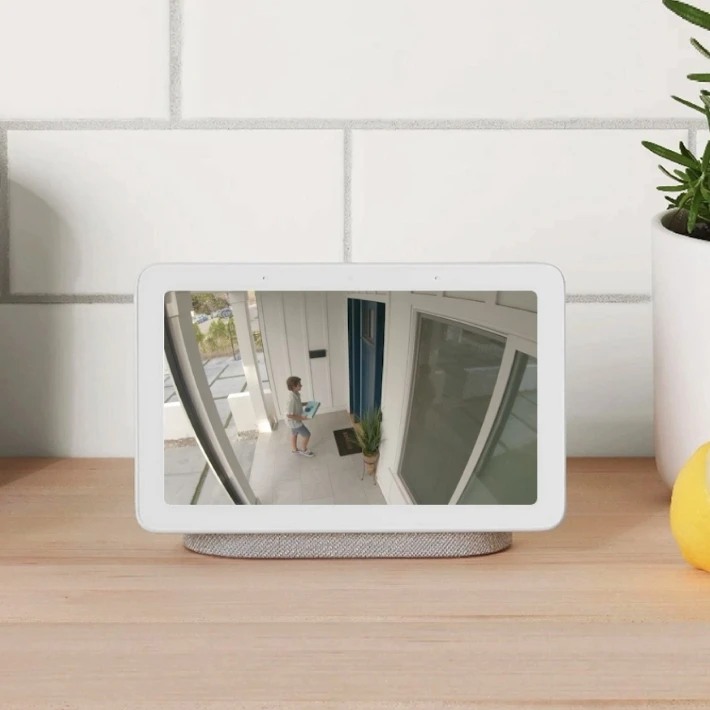
Reolink Duo 2 WiFi works with Google Assistant. As easy as saying "Hey Google, show me the front door", you can check what's happening there on your Google Nest Hub or Chromecast-enabled TVs.
To connect the Reolink Duo 2 WiFi to your Wi-Fi network, follow these steps:
Connect the camera to power using the supplied DC adapter and link it to your router with an Ethernet cable.
Open the Reolink App, tap the "+" icon, and scan the QR code on the camera to add it.
Follow the instructions to create a device password and name your camera.
Select your 2.4 GHz or 5 GHz Wi-Fi network, enter the password, and save the settings.
Disconnect the Ethernet cable and check the live view to confirm the camera is connected via Wi-Fi.
For detailed instructions, refer to the Reolink Wi-Fi Camera Setup Guide.
The key difference is resolution and image detail. The Reolink Duo 2 WiFi captures 4K 8MP footage (4608 × 1728), while the Duo 3 WiFi offers 16MP (7680 × 2160), providing twice the pixel count for clearer details when zooming into recordings.
The Duo 3 WiFi also features Motion Track and a larger F1.6 aperture for improved low-light performance, compared with the Duo 2 WiFi's F2.0 aperture. However, the Duo 2 WiFi has a slightly wider vertical field of view (60° vs. 55°).
The Duo 2 WiFi is best for homeowners who need reliable everyday monitoring of driveways, front yards, and entrances without paying for higher-end features. The Duo 3 WiFi is better suited for larger properties or users who frequently need to review distant activity in greater detail.
To reset the Reolink Duo 2 WiFi to factory settings, follow these steps:
Power off the camera and unscrew the metal cover to locate the reset hole next to the microSD card slot.
Insert a reset pin into the hole and hold the reset button while powering the camera back on.
Keep holding the button for 10–15 seconds, then release it. A short musical tone confirms that the factory reset is complete.
After resetting, you will need to set up the camera again through the Reolink App. Reolink Duo Series Reset Guide.
Yes. The Reolink Duo 2 WiFi is a plug-in security camera that supports continuous 24/7 recording, unlike the battery-powered Duo 2, which records motion-triggered events. You can save recordings to a compatible microSD card or Reolink NVR. Reolink Cloud is also available in select countries, offering encrypted storage for photos and videos, with access to saved footage even when the camera is offline.
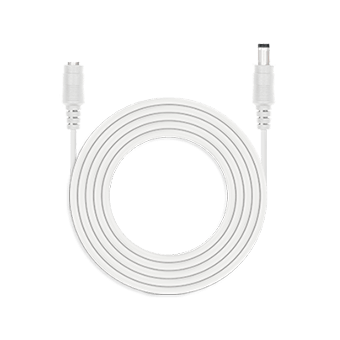 4.5m Power Extension Cable ×1
 Reolink Duo 2 WiFi ×1
 Antennas ×1
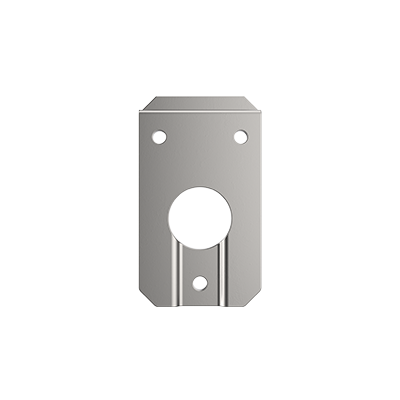 Mounting Plate ×1
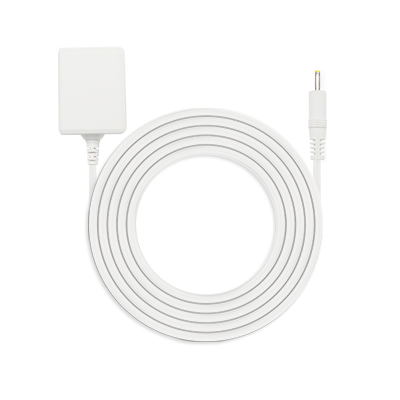 Power Adapter 12V/2A ×1


Be Prepared, Be Ahead
Never miss Reolink hot deals, news, and updates tailored for you.
Be Prepared, Be Ahead
Never miss Reolink hot deals, news, and updates tailored for you.

Google, Google Play, Google Assistant and related marks and logos are trademarks of Google LLC. Amazon, Alexa and all related logos are trademarks of Amazon.com, Inc. or its affiliates. Mac and Safari are trademarks of Apple Inc. App Store is a service mark of Apple Inc., registered in the U.S. and other countries. Firefox and the Firefox logo are trademarks of the Mozilla Foundation in the U.S. and other countries. Other product and company names mentioned herein may be trademarks of their respective companies.


